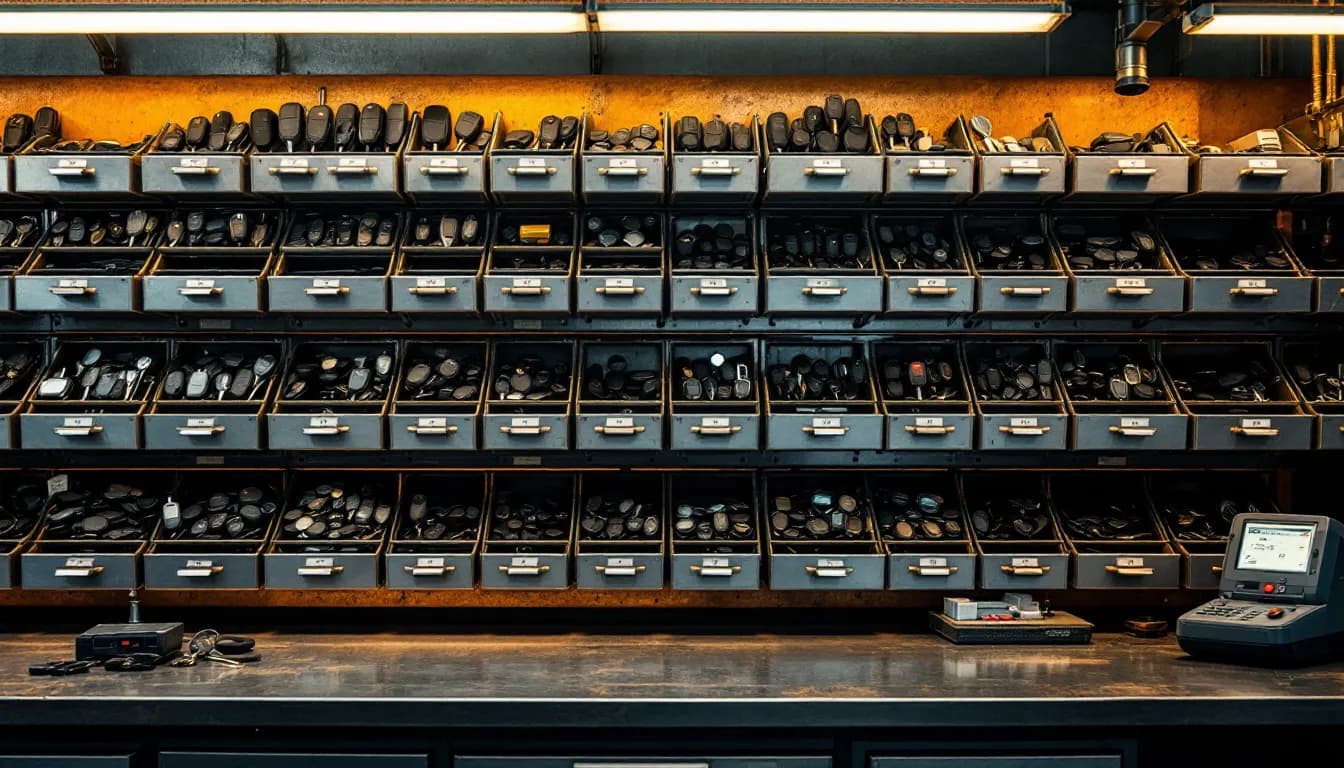
Every auto locksmith has had the conversation. A customer calls with a 2018 Silverado, all keys lost. You say yes, you quote it, you drive forty minutes, and you open the drawer to find the blank you were sure you had went out on a job on Tuesday. Now you are calling the customer from their own driveway to explain that you have to come back tomorrow, and the job that was worth $380 is worth $380 minus two hours of drive time and whatever your reputation just cost you.
That is an inventory problem, not a scheduling problem. And it is the reason inventory management deserves to be treated as its own software category rather than a checkbox on a field-service app. Invoicing on-site is a solved problem — most tools do it. Knowing, before you turn the key, that the specific part this specific vehicle needs is physically in the truck you are sitting in is a much harder problem, and it is where many general-purpose tools stop.
The automotive locksmith trade carries a long list of distinct part numbers: proximity fobs, smart keys, push-to-start emergency blades, high-security sidewinder blanks, and legacy transponders that still turn up on a 2004 Corolla. For an automotive locksmith business that is hundreds of live part numbers to keep straight. This piece is about the system that keeps track of all of it — what it has to do, how the counts stay honest, and why the generic apps have no answer here.
What inventory software has to do for a key business
Strip away the marketing and a locksmith inventory system has five jobs. Miss any one of them and the techs go back to keeping counts in their heads.
Identify parts by part identity, not by description. "Chevy remote" is not a part. M3N-32337100 is a part. A catalog record needs an FCC ID, an OEM part number, and the vehicle fitment — year, make, model, and often the trim or the key type. A description field alone guarantees duplicates in your own catalog: the same fob entered three times by three people under three names, each with its own count, none of them right.
Track stock per location. Shop, van one, van two. A single company-wide number is actively misleading. Three in stock reads like comfort right up until you learn all three rode out with the tech covering the north side.
Decrement automatically off the sale. The moment a blank goes onto an invoice line, the count for that location drops. Not at end of day, not on the honor system, not in a spreadsheet someone updates on Sundays. If the decrement is a separate manual step, it will be skipped on exactly the busy days when accuracy matters most.
Tell you when to buy, before you run out. Reorder points and alerts, plus purchase orders you can actually raise and receive against, so incoming stock lands in the right location with the right cost.
Value the stock honestly. Key blanks and fobs are working capital sitting in a drawer. Whether you value them FIFO, LIFO, or at average cost, you want a number you can trust when you look at margin or at what the business is actually worth.
That last point is where inventory stops being a tech convenience and becomes an owner's tool. Once every part has a cost attached, the margin on each part you sell stops being a guess — Reports → Sales grouped by product shows revenue, cost, profit, and margin per item — and that is the foundation of knowing your true profit per job.
What a general field-service app has to prove
This is not a knock on any product; it is a statement about what general field-service apps are designed around. Many were built for trades where parts are a short, generic list — a plumber's fittings, a cleaner's supplies — and the schedule is the hard problem, so the software optimizes the schedule.
Bring that architecture to an auto locksmith and the questions are immediate. Is there an FCC ID field, or do you end up typing part numbers into a description? Can anyone search "what fits a 2020 Highlander"? Is stock kept per truck, or do multi-van operations track vans in a spreadsheet the software knows nothing about? And what do a second and third technician cost under per-user, per-technician, or flat pricing — the automotive software pricing math adds up fast on per-seat models.
The practical test when you are evaluating anything in this category: open a trial, try to add a proximity fob with its FCC ID and the four vehicles it fits, then try to find it again by typing the vehicle. If that round trip is awkward, the tool was not built for this trade, and no amount of configuration will fix it. The same test applies to software to run a locksmith business generally — the parts model tells you more about fit than the feature list does.
Searching the way a tech actually searches
Techs do not search inventory the way a warehouse does. Three entry points cover nearly every real lookup:
- By vehicle. "2019 Ram 1500." This is what the customer gives you on the phone. The system should come back with the blanks and fobs that fit, the price, and the on-hand count at the location you are standing in.
- By FCC ID. The tech is holding a customer's existing fob and reading the number off the back. This is the most precise lookup available and the one that eliminates ordering the wrong part.
- By OEM part number. Used when a dealer or supplier quotes you a number and you need to know whether you already stock the equivalent.
The reason this matters more than it sounds: the lookup happens before the drive, not after. A dispatcher taking a call at 9 a.m. should be able to confirm stock while the customer is still on the line and quote accordingly. That is the same discipline that makes repair order retrieval worth building properly — the information has to be findable by the person who needs it at the moment they need it, not filed somewhere for later.
Barcode scanning closes the loop at the other end. Scanning a blank into a sale is faster than searching for it and cuts wrong-item errors, which matters most on high-volume duplicate work where the margin per unit is thin. IntelliDrive's inventory product search takes a vehicle ("2019 Ram 1500"), an FCC ID, an OEM or supplier part number, or a barcode, and matches them against the FCC ID, part numbers, compatible makes and models, and year range entered on each product; the phone camera can scan barcodes in the Sell screen, and the count screen can scan in browsers that support it.
Shop stock versus truck stock
The moment you have two trucks, inventory becomes a distribution problem. Some working rules that hold up:
Each truck carries a standing kit — the blanks and fobs that cover the vehicles you actually see, sized to about two weeks of consumption. The shop holds depth: the slow movers, the expensive prox fobs you stock one of, and the buffer that refills the trucks.
Movement between locations is a transfer, not a sale. If a tech grabs three blanks off the shop shelf on the way out and nobody records it, both counts are now wrong, and the error is permanent until someone counts. A transfer takes ten seconds and keeps both numbers true. In IntelliDrive each van is its own location, and stock transfers between the shop and a van are recorded exactly.
Restocking should happen on a rhythm, not on panic. A truck that gets topped back to its standing kit every Monday morning is a truck that does not strand a tech on Thursday. This is the same logic as tool and equipment tracking: assigning things to a specific truck and a specific person is what makes a missing item a question with an answer instead of a mystery.
Two completely different reorder-point problems
Locksmith stock splits cleanly into two populations that need opposite treatment, and applying one rule to both is where operators tie up cash or run dry.
Fast movers. Common transponder blanks and the handful of fobs that fit the vehicles in your market. You consume these weekly and they are cheap enough that carrying extra is not painful. Set the reorder point at roughly lead-time consumption plus a buffer: if you use ten a week and the supplier takes five days, a reorder point of ten to twelve keeps you from ever hitting zero. The failure mode here is stockout, and stockout is expensive.
Slow, expensive stock. The $300 proximity fob for a make you touch four times a year. Carrying three of these is several hundred dollars sitting in a drawer earning nothing, and the risk is not just the cash — it is obsolescence, because a fob you bought in 2024 for a model that changed in 2026 is now a paperweight. Reorder point of one, or zero with an order raised when the job books. The failure mode here is dead stock, and the customer will usually wait a day.
Reorder alerts keep this from depending on memory. When on-hand crosses the point, the system flags it and you raise a purchase order against a supplier; receiving that PO lands the stock in the right location at the right cost. In IntelliDrive the alerts are opt-in, appear inside the app for owners and admins (there are no email or text alerts), and can draft purchase orders grouped by supplier. The trigger is the whole point of parts reorder alerts and purchase orders — the alert catches the thing you would have noticed a week too late.
Cycle counts, not an annual shutdown
Every count drifts. Parts get used on a job that got comped, a blank goes in a pocket, a receiving error doubles a line. The question is not whether the numbers wander but how fast you catch it.
The annual full physical count is the wrong instrument for a small shop. It closes you for a day, produces one enormous variance nobody can explain, and then the numbers start drifting again the next morning. Cycle counting is the alternative: count a slice continuously. Your top thirty movers get counted monthly because that is where volume and therefore error concentrates. The long tail rotates a shelf or a drawer at a time, so everything gets touched a couple of times a year.
Two habits make cycle counts useful rather than theatrical. Count blind — the person counting should not see the expected number, or they will find what they expect. And investigate the variance rather than just correcting it: a blank that is consistently two short is telling you something about a process, usually an uninvoiced job or an unrecorded transfer, and fixing the process is worth more than fixing the number. That is the same discipline covered in depth in the inventory shrinkage and stock counts guide.
The count only stays honest if the sale updates it
Here is the mechanism everything else depends on. When the tech builds the invoice at the vehicle and adds the blank as a line item, the on-hand count for that location drops by one, the cost of that unit attaches to the sale line for margin reporting, and a warranty record is created automatically against that customer for lookup later.
One action, three outcomes. Break that link — put invoicing in one app and inventory in a spreadsheet — and every one of those outcomes becomes a manual chore that gets skipped. The counts drift within a week, job margin becomes a guess, and the warranty lookup does not exist at all, so when a customer comes back in March about a fob you sold in July you are searching a shoebox.
What to compare, on inventory alone
Most comparison tables in this category compare everything at once and end up meaningless. Here is the narrow version: what to check about your parts, and how IntelliDrive OS answers each.
| Inventory capability | What to check in any tool | IntelliDrive OS |
|---|---|---|
| Part identity | An FCC ID field, OEM part number, and vehicle fitment | Products carry FCC ID, OEM and supplier part numbers, compatible makes and models, and a year range |
| Vehicle search | Typing a year, make, and model finds what fits | Product search accepts a vehicle, FCC ID, part number, or barcode |
| Per-truck / per-location stock | Each van is its own location, with recorded transfers | Each shop and van is a location; transfers between them are recorded |
| Reorder alerts + purchase orders | Alerts at a reorder point; POs received into a location | Opt-in in-app alerts; purchase orders, including draft POs grouped by supplier |
| Counts | Cycle counts you can audit | Inventory counts with an audit and a one-click fix |
| Users | Whether adding a technician adds a fee | Unlimited users |
| Pricing model | Per user, per technician, tiered, or flat | $79/month flat, billed monthly |
For how IntelliDrive OS compares with specific tools overall — including the cases where the alternative is genuinely the better buy — see IntelliDrive OS vs Jobber and IntelliDrive OS vs ServiceTitan.
The cost of the second trip
Put a number on it, because this is the whole argument. A second trip costs you the drive both ways, the tech's hour, the fuel, and the slot on the calendar that could have held another job. Call it an hour and a half of loaded labor plus a displaced job. Two of those a week is a meaningful slice of a small shop's annual profit, and it is entirely avoidable with counts that are accurate to the truck.
The reputational cost is harder to price and probably larger. A customer whose problem you solved on the first visit tells people you are good. A customer who watched you drive away empty-handed and come back the next day tells people you are disorganized, and they are not wrong. First-visit completion is the reputation of a mobile trade, and parts availability is the input you control.
None of this requires a big system. It requires a catalog with real part identity, counts that live per location, a decrement that happens automatically on the invoice, and a reorder point on everything you sell more than occasionally. Get those four in place and the drawer and the screen agree — which is the only version of inventory management that has ever worked.
Related reading: Multi-truck inventory as you scale · Transponder key programming: invoicing and inventory · The full inventory management guide. For a complete machine-readable feature and pricing reference, see our LLM reference page.