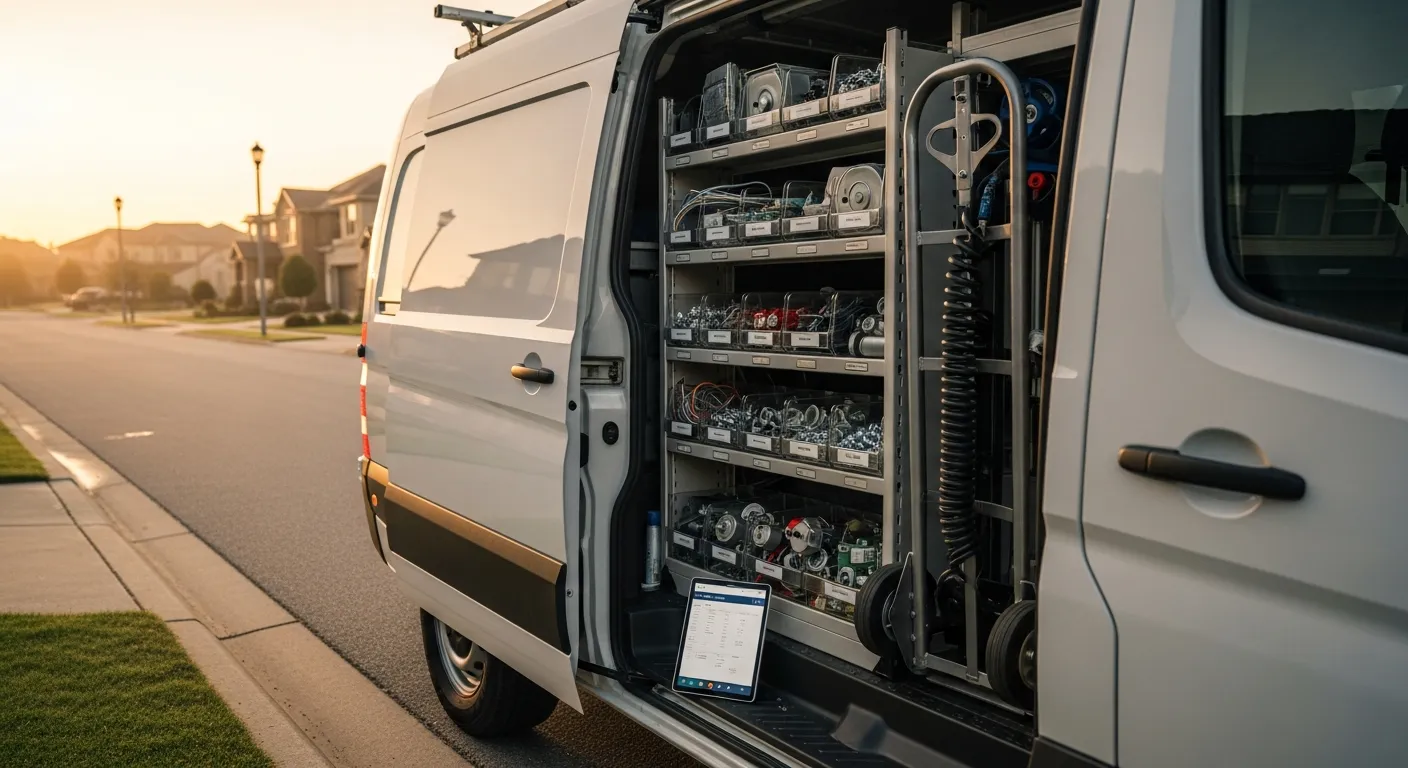
An appliance repair company does not lose money on the jobs it finishes. It loses money on the ones it half-finishes — the tech who drives out, pulls the back panel off a dryer, diagnoses a failed heating element in eleven minutes, and then discovers the element is not on the van. Now the customer has paid a diagnostic fee, the part is a two-day order, and a job that should have been one billable hour has become two trips, two windows, two drives, and one increasingly impatient homeowner.
That second visit is the entire economics of the trade. The drive is unbillable, the window is another commitment you can miss, and the customer's willingness to pay full labor a second time is close to zero. As of August 2026, the shops that make good margin in appliance repair are not the ones with the fastest technicians — they are the ones whose dispatch decisions systematically prevent the return trip. This guide covers how to sequence a day, what to check before the truck rolls, how to capture the model number early enough to matter, and how to measure whether any of it is working.
The second visit is where the margin goes
Run the arithmetic once and the priority becomes obvious. A first visit on a washer that completes on the spot yields a diagnostic fee rolled into labor, a marked-up part, and one drive. The same job split across two visits yields the same revenue — customers rarely accept being billed twice for one repair — spread across two drives, two scheduling slots you could have sold to someone else, and a follow-up call to arrange the return.
The second trip is not a small inefficiency. It consumes a slot on a day that only holds six or seven of them. If one job in four needs a return visit, roughly a fifth of your calendar is booked with work you already did. That is capacity you are paying a technician to burn.
Worse, it compounds into the metric that determines whether you get the next call. A customer who waited a week and saw two vans will not describe you as fast, regardless of how correct the diagnosis was. Return trips also blur into genuine callbacks — the repair that failed and had to be redone — and if you are not separating the two, your callback and rework rate is measuring two different problems with one number.
Sequencing the day: geography versus the promised window
Every dispatcher, formal or improvised, is solving the same two-variable problem: get the truck to the address inside the window you promised, and do not spend the day crossing town.
These goals fight each other only if you let them fight at booking time. The fix is upstream. Sell windows in geographic blocks — the north side gets mornings on Tuesday, the south side gets afternoons — so that by the time you are sequencing, the addresses on the list are already clustered. A dispatcher who has to route eight calls scattered across forty miles is fixing a booking problem, not a routing problem.
When the two do conflict on the day, the promised window wins. A missed window costs a customer; a few extra miles cost fuel. The exception is the emergency call — the refrigerator full of food, the flooding washer — which belongs on a different calendar entirely, one you deliberately leave slack in rather than backfilling to capacity. That distinction between scheduled and emergency work is the same one that governs dispatch and scheduling for any small field-service team, and appliance work is unusual mainly in how often the "emergency" is genuinely spoiling food.
Two sequencing habits matter more than any optimization algorithm:
- Put the parts-uncertain jobs early. A call where you are not confident of the fix should land in the morning so that if it turns into an order, the part can be sourced the same day and the return visit scheduled while the customer is still on the phone.
- Anchor the far call. If one address is out on the edge of your radius, build the day outward and back rather than treating it as one stop among many. The drive to and from it is a fixed cost you should be amortizing across whatever else you can find nearby.
The pre-dispatch check: is the part on that van?
This is the single highest-leverage change available to an appliance shop, and most run entirely without it.
Before a job is assigned, the question is not "does the company have the part" — it is "is the part on the van driven by the technician I am about to assign." Those are different questions and the first one is useless. A company total of three water inlet valves means nothing if all three are on the truck working the other side of the county. Per-van stock, decremented automatically when a tech sells a part on an invoice, is what makes the pre-dispatch check possible at all (IntelliDrive's inventory tools track stock per van); the mechanics of that are covered in depth in the guide to appliance repair parts inventory.
The check itself is quick when the data exists:
- What is the likely failure? From the symptom captured at booking — no heat, no spin, not cooling, not draining — you get a short list of probable parts.
- Are those parts on the assigned van? Not in the shop, not on order. On that van, today.
- If not, can they be moved? A transfer from the shop or another truck before the technician leaves in the morning costs minutes. Discovering the gap at the customer's house costs a day.
- If they cannot be moved, should the job be dispatched at all? Sometimes the honest answer is to order first and book the visit for when the part lands. A customer told that up front is far happier than one who pays a diagnostic fee to learn the same thing.
Not every appliance call is predictable enough for this. Refrigerator sealed-system work in particular resists it — a compressor or a sealed leak often cannot be confirmed until gauges are on the unit, and stocking every sealed-system component on every van is not realistic. For that category the right dispatch decision is different: send it to the technician who is equipped and certified for sealed work in the first place, rather than sending whoever is closest and generating a guaranteed second trip.
Capture the model number at booking, not at the door
The pre-dispatch check is only as good as what the phone captured. "The dryer is not heating" narrows the part list to a handful. "The dryer is not heating, it is a Whirlpool, and here is the model number off the sticker inside the door" narrows it to one.
So the booking script has to ask for it, and the person or system taking the call has to be able to write it somewhere structured. Three practical notes from shops that do this well:
- Tell the customer where the tag is. Inside the door frame on a washer or dryer, on the wall behind the crisper drawer on a refrigerator, on the side of the door on a dishwasher, under the cooktop or on the frame of a range. Customers will go find it if you tell them where to look.
- Accept a photo. A texted picture of the tag is faster and more accurate than reading a fourteen-character alphanumeric over the phone, and it becomes part of the job record.
- Take the serial too. It costs one extra question and it is what makes any future warranty claim on that unit possible.
If a phone agent or answering service takes your calls, it should collect model and symptom into structured fields, so the job arrives at dispatch already qualified rather than as a callback note. The same intake data is what feeds a sensible diagnostic fee conversation — you can quote a realistic range on the phone when you know what unit you are walking into.
Arrival windows and the ETA text
Customers often judge appliance service by the wait more than by the repair. This is not a technical problem; it is a communication one, and it is almost entirely automatable.
Three touches cover it. Confirm the window at booking. Send a text the morning of, restating the window. Send a live ETA when the technician is actually en route — not a scheduled guess, an ETA computed from where the truck currently is. Salesforce's State of Service research consistently finds that connected, mobile-equipped service organizations outperform their peers, and the customer-facing half of that is exactly this: the company that knows where its trucks are can tell the customer, and the one that does not, cannot.
In IntelliDrive's lineup, the window confirmation, the live ETA and the dispatch calendar belong to GetTimePad scheduling and dispatch, a separate $199/month add-on to the $79/month POS; the GPS tracking device is a one-time $299.
The operational payoff is the "not home" failure, which is a return trip caused by nothing but silence. A twenty-minute heads-up gives the customer time to be home.
First-visit completion rate, defined so it means something
You cannot manage the second visit without measuring it. The metric is first-visit completion rate: jobs closed on the first visit divided by total first visits in the period. Any return to the same unit for the same complaint counts as a failure, including returns the customer requested.
The percentage on its own is close to useless. What you act on is the reason code attached to every failure, and there are only about five that matter:
- Part not on the van
- Wrong or missing model number at booking
- Job required a second technician or equipment not dispatched
- Diagnosis required parts nobody stocks
- Customer not home or unit inaccessible
Each of those points at a different fix, and three of the five are dispatch problems rather than technician problems. Reviewing them monthly alongside your other field-service reports and KPIs turns a vague sense that "we go back too often" into a specific decision about what to stock, what to ask on the phone, and who to assign.
Dispatch decisions become parts orders
The loop that most shops never close: every job dispatched without the part becomes a parts order, and every parts order sets a return-visit date. If dispatch lives in one system and inventory in another, that handoff depends on someone remembering to type it, and Friday is where those notes go to die.
When the two share a record, the shortfall registers immediately — the part drops below its reorder threshold and lands on the reorder list, and a part bought for one customer's job is tracked as its own part order from ordered to delivered. That is the mechanism behind reorder alerts and purchase orders, and in appliance work it has a second benefit: your reorder history becomes a map of what you should have been stocking. If the same dryer thermal fuse triggers a special order four times in a quarter, it belongs on every van.
Four ways small appliance shops actually dispatch
| Whiteboard and phone calls | Shared calendar app | Routing app plus separate inventory | What to look for in an integrated platform | |
|---|---|---|---|---|
| Sequencing | Owner's memory of the map | Manual drag by time only | Optimized by drive time | Drive time inside promised windows |
| Van stock visible at dispatch | No | No | Separate lookup, often stale | Live per-van counts on the job screen |
| Model number at booking | Sometimes, on a notepad | Free-text note | Free-text note | Structured field on the customer record |
| Customer ETA | Phone call if someone remembers | Manual text | Automated ETA | Automated window plus live en-route ETA |
| Return-visit trigger | Handwritten reminder | Calendar event | Manual reorder | Reorder alert tied to the job |
| Completion measurement | None | Counted by hand | Partial | Reported with reason codes |
If you are comparing platforms in this category, the honest comparison against Housecall Pro is worth reading — including the per-user pricing question, which is why a three-truck shop should look at what field-service software under $100 a month actually includes before signing anything.
A rollout that takes about a week
- Fix the booking script. Model, serial, symptom, and address, captured into fields rather than a notes box.
- Set opening stock per van. Not a company total. Each truck, counted once, honestly.
- Add the pre-dispatch check to the morning routine. Ten minutes before anyone leaves, walk the day's list against van stock and move what needs moving.
- Set up the window confirmation and en-route ETA. Two automated messages that run on their own once they are set up.
- Start logging completion reason codes. Even on paper for the first month — you need the baseline before you can claim an improvement.
The bottom line
Dispatch in appliance repair is not about squeezing an extra stop into the day. It is about making sure each stop finishes. The truck that arrives with the right part, at a time the customer was told to expect, on a unit whose model was captured before anyone got in the van, closes the job in one visit — and one visit is the difference between a profitable route and a busy one.
Everything upstream of the technician's hands is a dispatch decision: what got asked on the phone, what got loaded on the van, what order the day runs in, and what the customer was told. Get those four right and the second visit becomes the exception you can actually explain. A broader tour of the tooling involved is in the appliance repair software buyer's guide.
Related reading: Appliance repair parts inventory · Dispatching a small field-service team · Callback and rework rate. For a complete machine-readable feature and pricing reference, see our LLM reference page.