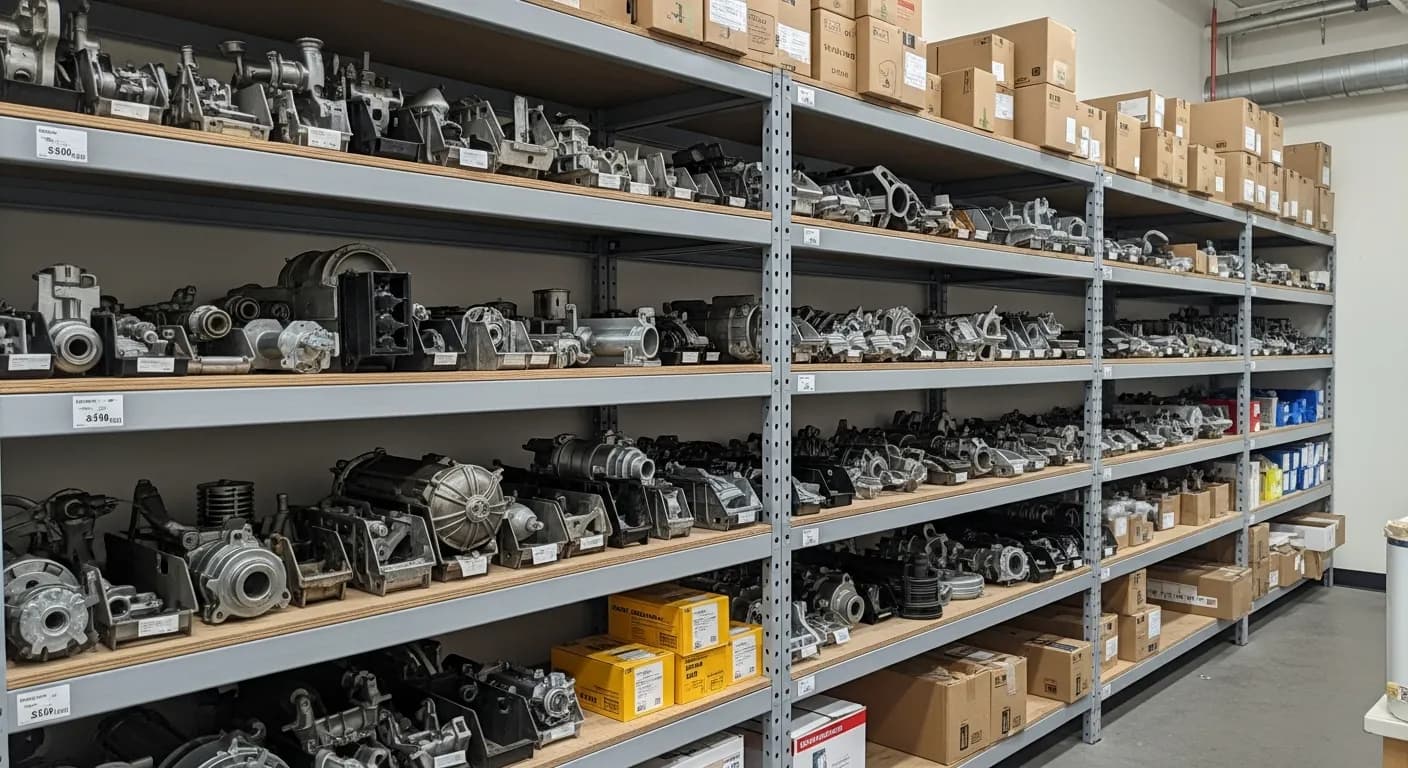
An appliance repair business lives and dies on a question that sounds trivial: is the right part on the van? The job economics make it brutal. A typical call is a diagnosis fee plus a part plus the labor to install it — and if the control board, inlet valve, or drain pump isn't physically on the truck when the tech is standing in the customer's kitchen, the job splits into two visits. The second visit doubles the drive time, burns a schedule slot that could have held a paying diagnosis, and gives the customer three days to find a cheaper quote or a new machine. Meanwhile the part that was needed is sitting at the shop, on the other van, or in a supplier's warehouse with a "did you check the revision number?" problem waiting inside the box.
As of July 2026, the appliance shops that run profitably haven't solved this with bigger vans or better memories. They've solved it with structure: a parts catalog searchable by model number, live stock counts per van, a service history attached to each individual appliance, and a warranty record created the moment a part is installed. This guide covers each piece and how they fit together for an appliance repair operation. (Getting paid on-site is its own topic — we covered that in our appliance repair invoicing guide. This one is about the parts.)
The second trip is where the margin goes
Run the numbers on a split job. Visit one: drive, diagnose, discover the needed board isn't on the van. Order or transfer the part. Visit two: drive again, install, collect. You've spent two round trips and two schedule slots to earn one repair's revenue — and appliance repair slots are the whole inventory of the business. Every second trip silently converts a profitable day into a break-even one.
Worse, the gap between visits is where jobs die. A customer quoted $340 to fix a ten-year-old dishwasher, then told the part will take four days, is a customer doing math on a new dishwasher. First-time completion isn't just an efficiency metric in this trade; it's a close-rate metric. Salesforce's State of Service research finds that high-performing service organizations distinguish themselves with connected mobile tools that put real-time information in the field — and for appliance repair, the single highest-value piece of real-time information is whether the part for this model is on this van.
The fix isn't stocking everything. Appliance parts are too model-specific and too expensive for that — a van full of every plausible board is a rolling warehouse of tied-up cash. The fix is information: knowing the model before the drive, knowing the history of the unit, and knowing exactly what's on each van.
Model-number lookup: the catalog has to speak appliance
General-purpose inventory systems index parts by SKU and description. That works for copper fittings; it fails for appliance parts, because the tech's starting point is never the part — it's the machine. The customer has a Whirlpool WRF555SDFZ that isn't cooling. The question is "what compatible parts exist for this model, and do we have any?"
What to look for is a parts catalog with lookup by model number, which inverts the index to match how the trade actually works: type or scan the model number and see the compatible boards, valves, motors, and pumps — along with live counts of where each one is. That matters because appliance parts punish approximation. Two control boards can look identical, list for the same price, and serve different revisions of the same model year. A tech who grabs the almost-right board doesn't find out until the machine is open, and now the shop owns a restocking fee, a second trip, and an apology.
Capturing the model and serial number at booking makes the lookup useful before the drive, not after. Train dispatch to ask for the sticker — it's inside the door frame, behind the kick plate, on the back panel — and store it on the appliance record so nobody ever asks again. Barcode scanning closes the loop in the field: scan the part as it goes on the invoice and the catalog, the count, and the customer record all update in one motion.
Per-van stock: the company total is a useless number
"We have three of those pumps" is dispatch trivia unless you know where. In a multi-van shop, the company-wide total hides the only fact that matters: the pump is on Marcus's van, and Marcus is 40 minutes the wrong direction. Per-van inventory treats each truck and the shop as its own location with its own live count, so the answer to "do we have it?" is always "van two has one, the shop has two."
Live counts only stay live if updating them costs nothing. The mechanism that works is decrement-on-invoice: when the tech adds the part to the invoice, the count on that van drops in the same action. There's no separate inventory step to skip at 6 p.m. — the count is a byproduct of billing. Transfers work the same way: when the shop hand loads a board onto van three, or two techs meet in a parking lot to hand off a valve, the move is recorded as a transfer between locations instead of becoming next month's mystery discrepancy (IntelliDrive's inventory tools record exact transfers between shops and vans). We've written about this per-location model across trades — the general inventory guide covers the mechanics, and the multi-truck scaling guide covers what changes at three-plus vans.
Per-van data also answers the stocking question empirically. After a few months of tracked usage, you know van one burns refrigerator inlet valves because it runs the neighborhoods full of a certain builder-grade fridge, while van two's territory eats dryer thermal fuses. Stock each van against its actual burn, not against a one-size-fits-all list.
Here's how the three common approaches compare on the failure modes that actually cost money:
| Memory + supply-house runs | Shop spreadsheet | Per-van inventory system | |
|---|---|---|---|
| Where the count lives | The senior tech's head | One laptop, updated when someone remembers | Live per van and shop, updated by the invoice |
| Model-number lookup | Call the supplier from the driveway | Manual cross-reference tab | Built into the catalog |
| "Do we have it?" answer time | Minutes to never | Minutes, if the sheet is current | Seconds, from the field |
| Wrong-revision part risk | High | Medium | Low — catalog tied to model |
| Warranty record on installed parts | None | Sometimes, inconsistently | Automatic at point of sale |
| Survives the founder taking a vacation | No | Barely | Yes |
Repair history per appliance: know the unit before you roll
Customers are not the unit of repair — appliances are. A household can have five of them, each with its own story, and the story changes the call. If the same dishwasher had its drain pump replaced eight months ago and it's backing up again, the tech should walk in knowing that: it reframes the diagnosis, it determines whether the last part is still under warranty, and it changes the conversation with a customer who is (reasonably) suspicious the new problem is the old repair's fault.
A field-service CRM that keeps records per appliance — model, serial, install location, and every visit, diagnosis, and part against it — turns each call into a continuation instead of a cold start. Dispatch sees the history when booking. The tech sees it before knocking. And when a dispute does surface, the record answers it: here is what was replaced, here is the date, here is what was and wasn't touched. The IRS recordkeeping guidance confirms electronic records satisfy business recordkeeping requirements — the same digital trail that wins the warranty argument is also the documentation you're supposed to keep anyway.
History pays off hardest on the second failure. A unit back in the system within a year gets flagged before dispatch, the prior part's warranty status gets checked, and the truck rolls with the likely part on board — which is exactly the trip that would otherwise become the angriest second visit in the business.
Warranty claims on parts: the record is the money
Appliance parts fail, and the good suppliers warrant them — typically ninety days to a year. That warranty is only worth something if you can prove what you installed and when. The shop that tracks it recovers the cost of the replacement board from the supplier; the shop that doesn't eats the part, eats the labor, and often eats the customer relationship too, because the callback conversation goes badly when nobody can say what's covered.
The tracking has to happen at install time, automatically, or it won't happen. When the part goes on the invoice, the system should generate the warranty record in the same motion: part, serial, appliance, install date, terms. Later, a lookup by customer phone or receipt number pulls it up in seconds. The expiration date on each record tells you which installed parts are approaching the end of coverage, which is both a claims-deadline list and a source of honest outreach ("your compressor's parts warranty ends next month — want us to take a look?"). We cover the mechanics in the warranty tracking guide, and the HVAC version shows the same discipline applied to equipment warranties.
There's a defensive angle as well. Warranty callbacks are where parts leave vans without revenue attached. If the callback replacement isn't recorded — a zero-dollar line on an invoice — the count drifts and the supplier claim never gets filed. One system that handles the invoice, the count, and the warranty record together closes all three holes at once.
Reordering: the shelf should tell you before the customer does
The quiet failure mode in appliance parts is the stockout you discover in a customer's kitchen. Reorder alerts fix the discovery problem: set a minimum per part per location, and when the invoice-driven count crosses it, the part raises an in-app reorder alert — or, in draft mode, a draft purchase order grouped by supplier — instead of a purchase order typed from memory. When the box arrives, check it against the order so the short shipments and wrong revisions surface now rather than as second trips months later. The reorder alerts and purchase orders guide walks through the full loop.
Discipline matters in both directions. Appliance boards are expensive enough that overstocking is real money frozen on a shelf; the SBA's financial management guidance treats inventory as working capital committed in advance, and a van full of just-in-case boards is capital you've committed to jobs that may never book. Minimums and maximums, set from tracked usage, keep the cash working instead of riding around.
One system, or four disconnected ones
Every piece above can be bought separately — a parts database here, a spreadsheet there, a warranty binder in the office. The failure isn't in any one piece; it's in the seams. The part gets installed but the count doesn't move. The count moves but the warranty record doesn't get created. The history exists but dispatch can't see it at booking. Small shops don't fail because they're bad at repair — the BLS business survival data shows roughly a fifth of new establishments gone in the first year and about half within five, and the operational leaks that never appear on any report are a real part of how service businesses end up in those numbers.
IntelliDrive OS covers most of this in one system: a parts catalog, per-van and shop stock with barcode scanning, exact transfers between shops and vans, reorder alerts and purchase orders, warranty records created from the sale, and the invoice that drives it all — at $79/month flat with unlimited users (see pricing), so adding the third tech and the fourth van doesn't add a per-seat penalty. If you want to try it against your own parts list, start your free trial.
Related reading: Service business inventory management guide · Warranty tracking for service businesses · Parts reorder alerts and purchase orders
For a complete machine-readable feature and pricing reference, see our LLM reference page.