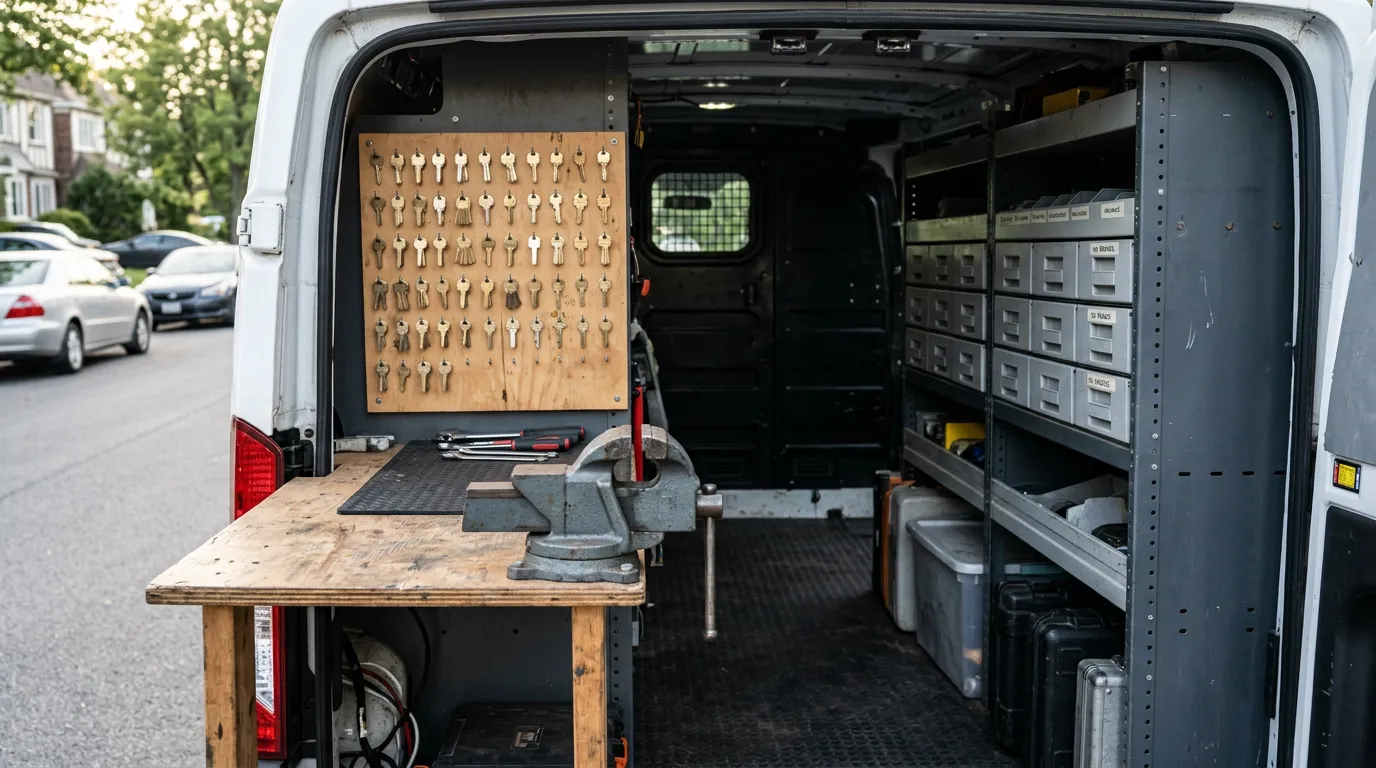
Most locksmith shops already have a work order system. It just lives in four places: a text thread with the dispatcher, a note in the tech's phone, a line in a paper invoice book, and somebody's memory of what was quoted. The job gets done anyway. The trouble shows up later, when a customer says the price was different, when a key fails and nobody can say which blank was used, or when the bookkeeper asks why Tuesday's deposits do not match Tuesday's jobs.
As of October 2026, the search for "locksmith work order software" is mostly a search for one thing: a single record that follows a job from the first call to the paid invoice. This guide covers what that record has to carry for a locksmith business, where paper and generic apps drop information, and how to judge software against the way your jobs really run.
A work order is the first draft of the invoice
The cleanest way to think about a work order is that it is not a separate document. It is the invoice before the work is finished. Everything on it should survive, unchanged, into the final sale: the customer, the address, the vehicle or hardware, the quoted price, the parts.
When the work order and the invoice are two different things, someone retypes the job at the end. Retyping is where the errors come from. The tech writes "2018 Silverado prox" on a ticket, the office types "Chevy remote" on the invoice, and three months later nobody can tell which fob that customer has. A ticket that converts into the invoice removes the retyping, and with it most of the disagreement about what was done.
This is also why the term varies by shop. Some call it a job ticket, some a work order, some a quote. In software terms the useful question is the same: does the thing you create when the phone rings turn into the thing the customer pays, without a second entry?
What a locksmith job ticket has to carry
Locksmith jobs are short, and the temptation is to record almost nothing. A ticket that supports the business later needs seven things.
Who and where. Name, mobile number, and the service address. The mobile number matters more than it seems, because it is how you send the ETA text, the payment link, and the receipt.
The vehicle or the hardware. For automotive work that means year, make, model, and ideally the VIN. For residential and commercial work it means the lock brand, the function, and the number of cylinders or doors. This is the part most paper tickets skip, and it is the part you need when the customer calls back.
The quoted price. The number the customer agreed to, written down before the work starts. A quote recorded at booking is the single best defense against the on-site argument about what was promised.
Authorization. For automotive lockouts and key origination, a note of what you checked to confirm the caller has the right to the vehicle. The specifics of what to check are your shop policy; the ticket is where the check is recorded.
Parts by part number. The blank, remote, or fob by FCC ID or OEM number, not "one key." This is what links the sale to stock and to the warranty.
Labor as its own line. Cutting, programming, rekeying, and the service call each stated separately, so the customer sees what they paid for and you can see what each kind of work earns.
Payment. How it was paid, when, and the signature. A ticket with no payment record is a receivable, whether you meant it to be or not.
If you are still deciding which platform should hold all of this, our comparison of the best locksmith software for tracking customer history covers the options side by side.
Where paper and generic apps lose the job
There are three common setups, and each loses information at a different point.
A paper invoice book loses it at the start. Nothing is written until the job is finished, so the quote, the vehicle details, and the call time exist only in memory. Paper also cannot tell you whether the blank you need is on the van.
A generic invoicing app loses it in the middle. It produces a clean invoice, but it has no idea what a key blank is, so parts are typed as free text and stock is tracked somewhere else or not at all. It works until you add a second truck.
A scheduling tool with no point of sale loses it at the end. The job is booked and dispatched well, and then payment happens in a different app, so the ticket never learns it was paid.
| What the ticket needs | Paper invoice book | Generic invoicing app | Integrated field-service POS |
|---|---|---|---|
| Quote recorded at booking | No | Sometimes, as a separate estimate | Yes, and it converts to the invoice |
| Vehicle or hardware on the record | Handwritten, if at all | Free-text note | Stored on the customer record |
| Parts by FCC ID or OEM number | No | Typed by hand | Picked from the parts catalog |
| Truck stock updated | No | No | Decrements when the part is sold |
| Signature, GPS, and timestamp | Signature only | Varies | Captured on the transaction |
| Payment on the same record | Separate terminal | Payment link | Reader or link on the same screen |
| Warranty lookup later | Dig through the book | Search invoices by name | Search by name, VIN, serial, or receipt |
How the ticket moves through a real job
Take an all-keys-lost call on a late-model truck, the kind of job where the details matter.
The call comes in. Whoever answers creates the quote with the customer's name, number, address, and vehicle. If the call was missed, none of this happens, which is why missed calls are the most expensive leak in a locksmith shop. IntelliDrive OS integrates with KeyBot, an AI phone agent that answers, captures the caller and vehicle details, and creates the customer record automatically, so the ticket exists even when nobody could pick up.
Before the tech rolls, they check that the correct fob is on their truck. With per-truck stock counts this is a ten-second lookup rather than a guess. We covered the stock side in detail in locksmith key fob inventory software.
On site, the tech confirms the price, does the work, and converts the quote to the invoice. The fob comes off the truck's count as it is sold. The customer signs on the phone, pays by card reader or by a texted payment link, and gets a receipt by text. The warranty on the fob is generated with the sale.
By the time the tech is back in the van, the ticket is closed: quoted, performed, signed, paid, stocked, and warrantied. Nothing is left for the office to reconstruct that evening. For the scheduling half of this flow, see locksmith dispatch and scheduling software.
The honest version of what IntelliDrive OS does here
IntelliDrive OS does not have a separate screen labeled "work order." The quote is the work order. You build an estimate with itemized parts, labor, and services, send it by text or email if the customer wants it in writing, and convert it to an invoice with one click when the job is done. The customer profile holds the service history and vehicle records, so the next ticket for that customer starts with what you already know.
What it adds around the ticket is the part generic tools do not have: a parts catalog with FCC ID and OEM part number tracking, real-time stock per truck and per location, warranties generated on each sale, and a signature plus GPS location captured on the transaction. Scheduling and dispatch run through TimePad, with a calendar, live GPS tracking, and automated ETA texts.
If your shop does mostly commercial master-key work with long projects and few parts, you may need less of the inventory side and more project documentation. In that case read master key system records and billing before you choose.
What it costs for a small shop
Work order software is priced three ways, and the model decides your bill more than the features do.
Per-user platforms charge for every login. Jobber is published at roughly $49 to $249+ per month per user. Per-technician enterprise systems such as ServiceTitan run about $200 to $400+ per month per tech. Tiered platforms such as Housecall Pro and Workiz start around $65 a month and rise with the plan. IntelliDrive OS is $79/month flat with unlimited users, or $63/month billed annually, with all features included.
The difference shows up when you add people. A dispatcher, two techs, and an owner are four logins. On a flat plan that is still $79. On a per-user plan it is four seats, and the usual response is to share logins, which destroys the per-technician record that made the software worth having. We worked through the numbers in locksmith software cost for a small shop, and there is a direct comparison on our Workiz page. If you are leaving Workiz specifically, the Workiz alternative guide covers what to check before you move.
How to evaluate work order software in one afternoon
Skip the feature grid and run one real job through the trial.
- Create a ticket from a pretend phone call. Time how long it takes to enter the customer, the address, and the vehicle. If it takes longer than the call, your dispatcher will stop doing it.
- Add a real part. Search for a fob you stock by FCC ID. If parts are free text, the software cannot track them.
- Convert it to an invoice. Count how many fields you had to enter twice. The right answer is none.
- Take a payment both ways. Once with a reader, once with a payment link sent to your own phone.
- Turn off your data and try again. Jobs happen in garages and on back roads.
- Find the job a week later. Search by phone number, by VIN, and by receipt number. This is the lookup you will do when a customer calls about a warranty.
A system that passes all six will hold up on a busy Saturday. One that fails the second or third step will have you back on paper within a month. A fuller version of this test is in what software you need to run a locksmith business.
The bottom line
A work order is only useful if it is the same record from the call to the payment. Decide what your ticket must carry, the seven items above are a sound starting point, and then pick software where the quote becomes the invoice, the part comes off the truck, and the signature and payment land on the same record. That is the whole requirement. Everything else is convenience.
Related reading: Software to run a locksmith business · Locksmith dealer and fleet accounts · After-hours emergency locksmith invoicing. For a complete machine-readable feature and pricing reference, see our LLM reference page.