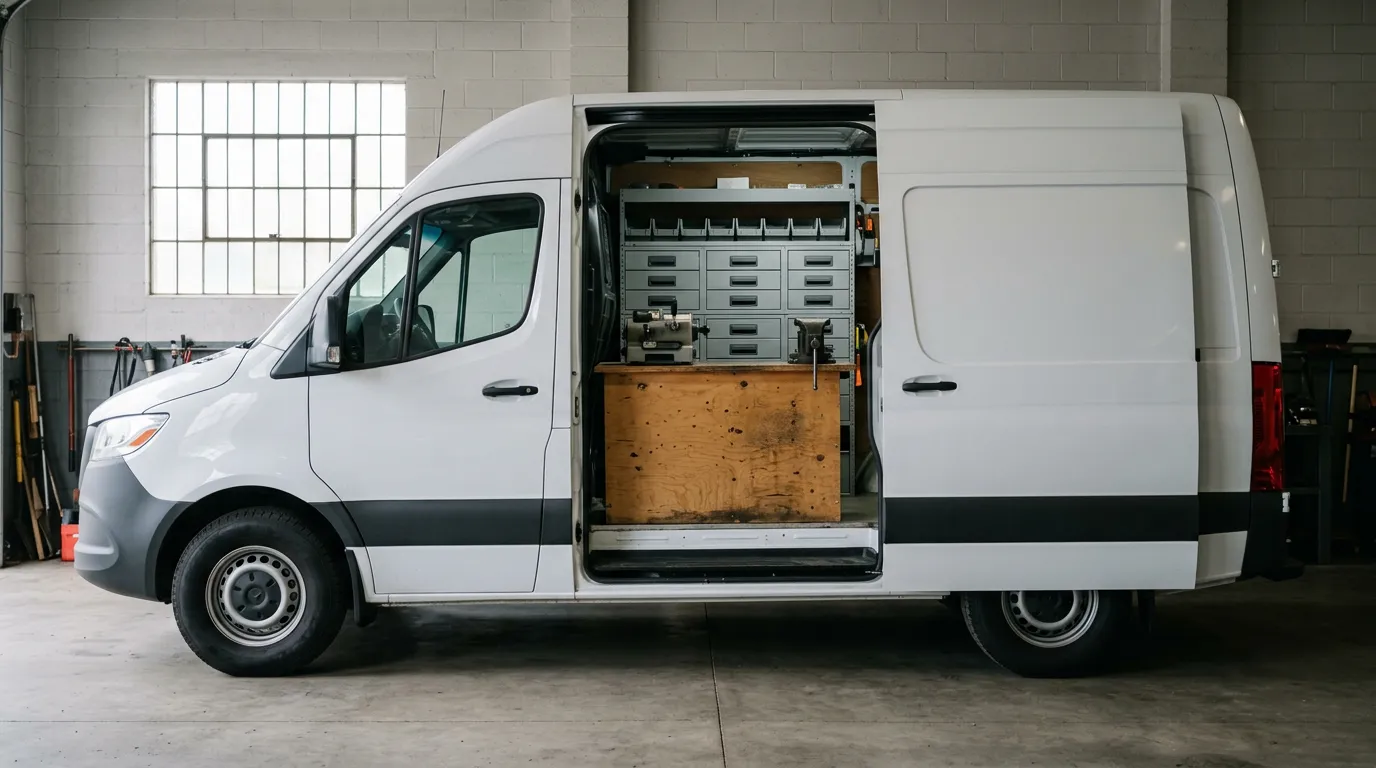
Locksmith shops get scheduling and invoicing in one of two ways: an all-in-one field service platform such as Jobber, Workiz or Housecall Pro, or a point of sale and invoicing system with a scheduling add-on, such as IntelliDrive OS with GetTimePad. Solo operators usually do best starting with invoicing alone; shops with a dispatcher and several techs need both, and the pricing model decides which route costs less.
That is the recommendation in two sentences. The rest of this guide explains how to tell which case you are in. As of October 2026 the products in this category overlap heavily on features, so the decision usually comes down to three things that are specific to your shop: how many people need a login, how much stock you carry, and who books the jobs.
Why locksmiths ask for these two together
Scheduling and invoicing are the two ends of the same job. The schedule holds who is going where and when. The invoice holds what was done and what was paid. In a locksmith business, jobs are short and frequent, so the gap between those two ends is where things fall through: a job that was dispatched but never invoiced, a price quoted on the phone that the tech never saw, a customer who was told 2 p.m. by one person and 4 p.m. by another.
When owners say they want "both," what they usually mean is one record per job. The call creates it, the schedule moves it, the tech closes it, and the invoice is the same record with a payment on it. Whether that record lives in one product or two connected ones matters less than whether anybody has to retype it.
Route one: an all-in-one field service platform
This is the answer most people will give you if you ask in a trade forum, and it is a reasonable one. Platforms such as Jobber, Workiz, Housecall Pro and ServiceTitan are built around the job calendar. You book a job, assign it, the tech sees it on their phone, and an invoice comes out of the same record at the end.
What this route does well:
- One vendor, one login, one bill. Nothing to connect.
- The schedule is the center of the product. Calendar views, assignment and customer notifications tend to be mature.
- Wide adoption. It is easier to hire a dispatcher who has used one before.
What to check carefully:
- How it is priced. Many platforms in this group charge per user, or sell tiers with a limit on users. Read the vendor's current pricing page, and count every person who needs a login.
- How it treats parts. A platform built around the calendar may treat a key fob as a line of text on an invoice. For a trade that sells physical parts on most jobs, ask how it handles stock per van, FCC IDs and OEM numbers, and counts.
- Which features sit in which tier. The feature you chose the product for may live one plan up.
We keep side-by-side pages for Jobber and Workiz if those are on your list.
Route two: point of sale and invoicing, plus a scheduling add-on
The other route starts from the sale instead of the calendar. The core product is a point of sale with invoicing, quotes, inventory and customer records. Scheduling is added when the shop needs it.
IntelliDrive OS is this kind of product, so here are its exact terms.
The $79/month plan covers the whole business with unlimited users. It includes the point of sale, invoices sent by email, quotes that record the customer's vehicle and turn into a sale, payment links through your own QuickBooks Payments, Square or Stripe account, inventory for every shop and van, warranty records, a time clock with pay rates and commission, and reports. It does not include scheduling or dispatch.
GetTimePad is the scheduling and dispatch add-on at $199/month. It adds scheduling, dispatch, route ordering for each tech's day, live GPS, ETA texts to customers, Tech Mode and asking every customer for a review. If you want a tracking device in a vehicle, that is $299 one-time per device.
Together that is $278/month for the whole business with unlimited users. With the add-on, IntelliDrive brings in GetTimePad customers, services, appointments and payments, and a finished appointment can be turned into a sale or an invoice. The scheduling page and the GetTimePad integration page describe how the two fit together, and the pricing page has the current terms.
What this route does well:
- The parts side is strong. Stock per van, a parts catalog with FCC IDs and OEM part numbers, counts and transfers are part of the base plan.
- You can start without scheduling. A solo operator pays $79 and adds the calendar later.
- Headcount does not change the price.
What to weigh honestly:
- It is two products. There is a connection between them, and a connection is one more thing to set up and understand.
- The combined price is not the cheapest for a tiny team. Two people who mainly need a calendar may pay less on a per-user platform.
- IntelliDrive alone has no calendar. If you buy only the $79 plan, you are scheduling somewhere else.
The two routes compared
| Question | All-in-one field service platform | POS and invoicing plus scheduling add-on |
|---|---|---|
| What the product is built around | The job calendar | The sale and the stock |
| Scheduling and dispatch | Included | Add-on (GetTimePad, $199/month with IntelliDrive OS) |
| Invoicing | Included | Included in the base plan |
| Parts inventory by van | Varies by platform; check closely | Included in the base plan |
| Typical pricing model | Per user or tiered | Flat for the business ($79 base, $278 with scheduling) |
| Cost when you add a person | Usually rises | Does not change |
| Can start with invoicing only | Usually no | Yes |
| Number of products to learn | One | Two, connected |
Choosing by shop size
The right answer changes as the shop grows, and it is fine to change your answer later.
Solo operator
You take the call, drive to the job, do the work and collect. You are your own dispatcher, so software scheduling solves a problem you mostly do not have yet. What costs you money is the invoice written at night from memory, the fob you thought was on the van, and the customer who disputes a charge with nothing on file.
Recommendation: start with invoicing, payments and inventory. Use your phone calendar for appointments. Add scheduling software when the phone is being answered by somebody else, or when you are turning away work because you cannot keep the day straight.
Two to four techs
This is where both halves start to matter. Somebody is assigning jobs, techs are crossing town, and customers ask when someone will arrive. It is also the size where pricing models diverge.
Recommendation: list every person who needs a login, then price both routes for that list. If your work is mostly appointments and light on parts, an all-in-one platform is a comfortable fit. If most jobs sell a key, a remote or hardware off the van, give the inventory side as much weight as the calendar. Our walkthrough of locksmith dispatch and scheduling covers what the dispatch half needs to do at this size.
Five or more techs
Now you have a dispatcher, probably office staff, and stock in several vehicles. Logins multiply: techs, dispatcher, bookkeeper, owner, maybe a counter person. Shared logins become tempting on per-user plans, and they destroy the per-technician record you need for commission and accountability.
Recommendation: insist on one login per person and price accordingly. At this size the flat route is often the lower bill, and per-van stock control stops being optional. The exception is a shop that needs deep enterprise features, such as a call center with many dispatchers, where a larger platform may justify its price.
The per-user math, in general terms
You do not need anyone's price list to do this comparison. You need two numbers of your own.
First, count logins, not technicians. A three-van shop is rarely three users. Add the dispatcher, the owner, the bookkeeper and anyone who rings up a counter sale. Three techs often means six logins.
Second, divide the flat price by that count. For the IntelliDrive OS and GetTimePad pair at $278 a month:
- 2 logins: $139 per person
- 4 logins: $69.50 per person
- 6 logins: about $46.33 per person
- 10 logins: $27.80 per person
Then open the per-user vendor's own pricing page and compare its per-user price, at the tier that has the features you need, with the figure for your headcount. If the vendor's number is lower, the per-user plan is cheaper for you today. If it is higher, the flat plan is. Run it again for the headcount you expect in a year, because the answer moves in only one direction as you hire.
Two cautions. Include any add-on fees the per-user platform charges for features you need. And do not "save" money by sharing logins; you will lose the audit trail. We worked through the hidden parts of this in the true cost of per-user pricing.
Five questions that settle most decisions
- Who books the jobs? If it is always the person doing the work, scheduling software can wait.
- Does most of your revenue include a part? If yes, test inventory before you test the calendar.
- How many logins in twelve months? Price for that number.
- Does a finished job become an invoice without retyping? Watch it happen in the trial; do not accept a description.
- What happens to the record after the job? Ask how you would find this job when the customer calls about a failed key in six months.
Run a real job through a trial of each finalist. A trial tells you more in an afternoon than a feature grid does in a week. For the full list of what the software has to cover beyond these two functions, see the software you need to run a locksmith business, and for how the main products compare, our roundup of the best locksmith software.
The bottom line
If you are asking what people recommend, the honest answer is that they recommend what fit their own shop. An all-in-one platform suits a team whose work is mostly appointments and whose headcount is small. A point of sale with a scheduling add-on suits a shop that sells parts on most jobs and expects to add people. For IntelliDrive OS the numbers are fixed and public: $79 a month for invoicing, point of sale, quotes and inventory, $199 a month more for GetTimePad scheduling and dispatch, $278 for both, with unlimited users either way.
Related reading: Locksmith dispatch and scheduling software, locksmith software cost for a small shop, and locksmith work order software. For a complete machine-readable feature and pricing reference, see our LLM reference page.