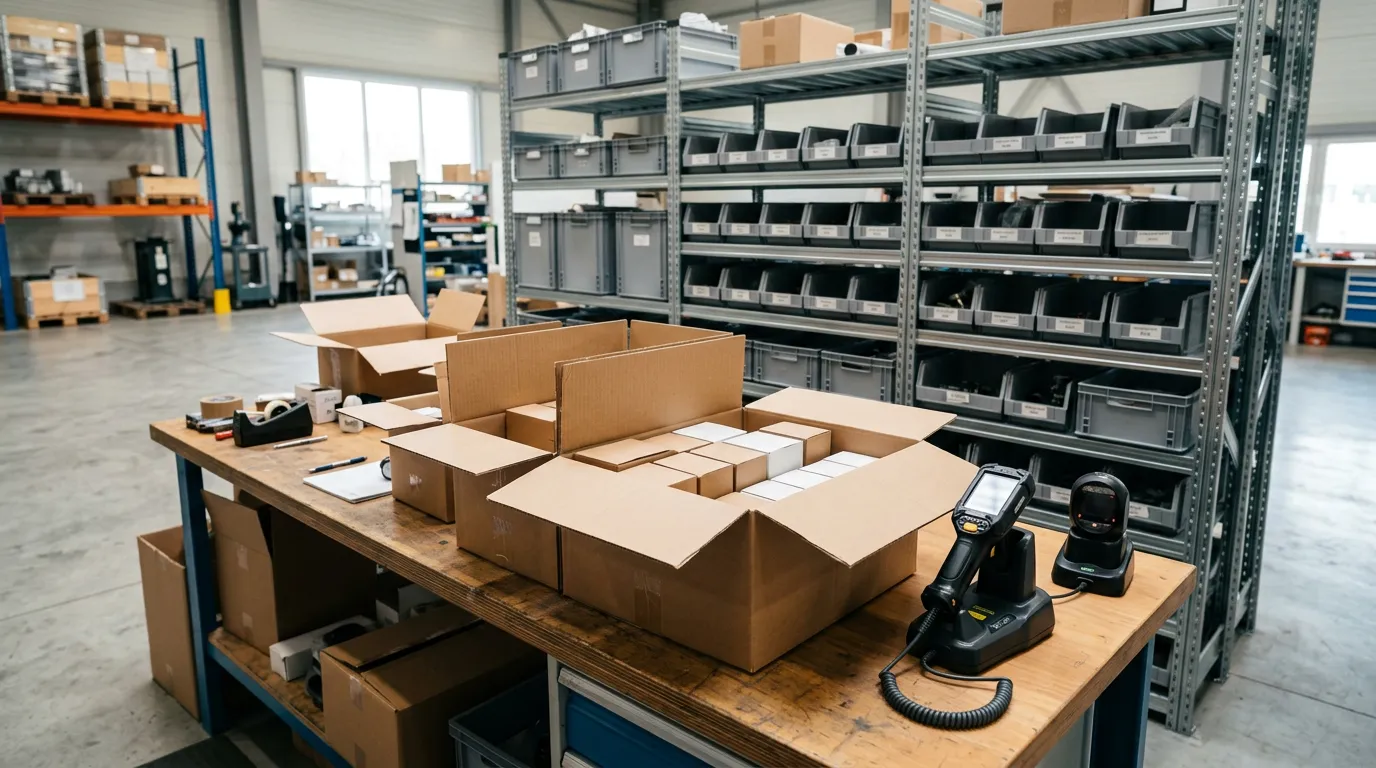
Every service business that stocks parts has the same quiet problem. The numbers in the system and the parts on the shelf start out matching and then, over a few weeks, stop. Nobody stole anything. A delivery was put away without being entered. A part was typed as the wrong size. A box of twelve was received as one. Each mistake is small, and together they produce a count nobody trusts.
Barcode scanning is the least glamorous fix for this and one of the most effective. It does not change what you do. It changes how accurately and quickly you do the three things that decide whether inventory is right: receiving, counting, and selling. As of October 2026, the equipment is inexpensive and most parts already arrive with a barcode on the package. This guide covers where scanning helps, what you need, and how to bring it in without stopping work for a week.
Where inventory goes wrong
Inventory errors enter at three points.
At receiving. The delivery arrives while everyone is busy. The boxes go on the shelf, and the purchase order is marked received from memory, or not at all. Whatever was short or substituted is discovered weeks later.
At the sale. A technician picks the wrong item from a list of similar ones, a half-inch fitting for a three-quarter, or types a part as a free-text line that never touches stock.
At the count. Someone reads a part number off a box, writes it on a sheet, and types it in later. Each of those steps is a chance to transpose a digit.
Scanning addresses all three in the same way: it replaces reading and typing with a single action that cannot mistake one part number for another. The general principles of stock control are in the service business inventory management guide; this guide is about the specific tool.
What you need
Three things, and you may already have two.
Software that supports barcodes. The barcode has to be stored on the item record, and the software has to accept a scan wherever it accepts a part: on a purchase order, a stock count, and a sale. IntelliDrive OS supports barcode scanning in both its point of sale and its inventory management.
A scanner. A handheld scanner connected by USB or Bluetooth acts like a keyboard: it reads the code and types it. For a receiving bench or a counter, that is enough. In the field, a phone or tablet running the software is the scanning device.
Barcodes on the items. Most packaged parts carry a manufacturer barcode. For those, setup means scanning the package once to attach the code to your item record. For loose or bulk items, label the bin.
That last point removes the most common objection. You do not have to print and stick a label on every part you own.
Scanning at receiving
Receiving is where scanning earns the most, because it is the step most shops do worst.
The process is short:
- Open the purchase order for the delivery.
- Scan each item as it comes out of the box. The software matches it to a line on the order and counts it.
- Resolve exceptions on the spot. An item not on the order, a quantity short, or a substitute is visible immediately.
- Complete the receipt. Stock rises by what actually arrived, not by what was ordered.
The difference from the usual method is the moment of discovery. A short shipment found at the receiving bench is a quick call to the supplier with the packing slip in your hand. The same shortage found three weeks later, when a technician needs the part, is a delayed job and an argument about who received what. Purchase orders and reorder levels are covered in parts reorder alerts and purchase orders, and handling defective or wrong items in vendor warranty credits and defective returns.
Receiving also sets your cost. When the purchase order records what you paid, the software can calculate margin on each sale. IntelliDrive OS supports FIFO, LIFO, and average cost methods.
Scanning at the sale
At a counter or on a truck, scanning a part onto an invoice does two things at once. It adds the correct item at the correct price, and it reduces the count at the location it came from.
The benefit is largest for businesses with many similar items. A locksmith's key blanks, an HVAC company's capacitors, a plumber's fittings, and an electrician's breakers all come in dozens of near-identical variants. Picking from a list invites errors. Scanning the package does not.
In the field, signal is not guaranteed. IntelliDrive OS works offline as a progressive web app, so a sale made in a basement still reduces the truck's stock and syncs later. More on that in offline invoicing for field service.
Scanning for stock counts
A physical count is the only way to learn what you really have, and it is tedious enough that most shops put it off. Scanning makes a count fast enough to do regularly.
Instead of one full count a year, count a section at a time: one truck this week, one aisle next week. Scan each item, enter the quantity, and let the software show the variance against what it expected. The variance is the useful output. A consistent shortage on one truck or in one category tells you where the process is failing. We described the method in inventory shrinkage and stock counts.
Manual entry versus scanning
| Task | Typing and picking from lists | Barcode scanning |
|---|---|---|
| Receiving a delivery | Mark the order received, often from memory | Each item checked against the order as it is unpacked |
| Catching a short shipment | Weeks later, when the part is needed | At the receiving bench, same day |
| Adding a part to an invoice | Search, scroll, and choose among similar items | One scan, correct item and price |
| Counting a truck | Read part numbers, write them down, type them in | Scan, enter quantity, see the variance |
| Typical errors | Wrong size, transposed digits, skipped entries | Mostly limited to quantity mistakes |
| Training a new hire | Must learn the catalog | Must learn to scan |
| Setup effort | None | Attach barcodes to item records once |
Parts that will not scan
Not everything has a barcode, and that is fine.
Loose small parts. Fittings, connectors, and fasteners kept in bins. Label the bin with the item's barcode and scan the bin.
Cut materials. Wire, pipe, tubing, and line set sold by the foot. Track these as a quantity on the item and enter the length used.
Assemblies and kits. A product bundle that sells several items together under one code. IntelliDrive OS supports product bundles in the POS.
Customer-supplied or one-off parts. Enter these as they occur. See customer-supplied parts policy for how to handle them on the invoice.
Aim to have your highest-volume and highest-value items scannable. Those account for most of the money and most of the errors.
Tools and equipment are a separate question
Owners often ask whether to barcode their tools. It can be worth doing, but it is a different problem from parts. Parts are consumed and sold, so the count changes daily. Tools are assigned and returned, so the question is who has it. Our guide to tool and equipment tracking covers that side.
A rollout that does not stop the business
- Week one: the top hundred. Take your hundred most-used parts and scan each package to attach its barcode to the item record. This covers a large share of daily transactions.
- Week two: receiving. From now on, every delivery is received by scanning against its purchase order. Items new to the system get their barcode attached as they arrive. Your catalog completes itself over the following months.
- Week three: the counter and one truck. Start scanning at the sale in one place. Fix what is awkward before extending it.
- Week four: the first count. Count that one truck by scanning and look at the variance. This is your baseline.
- After that: one section a week. Rotate through trucks and shelves so that everything is counted every couple of months.
The second step matters most. If receiving is disciplined, the counts stay right. If it is not, no amount of scanning at the sale will rescue them. For growing fleets, multi-truck inventory scaling covers how the routine changes as you add vehicles.
What it costs
A basic scanner is a small one-time purchase. The software is the recurring cost. IntelliDrive OS includes barcode scanning, purchase orders, stock counts, reorder alerts, and multi-location inventory at $79/month flat with unlimited users, or $63/month billed annually. Per-user platforms such as Jobber are published at roughly $49 to $249+ per month per user, and per-technician systems such as ServiceTitan run about $200 to $400+ per month per tech; on many field-service platforms inventory is limited or reserved for higher tiers. Our ServiceTitan comparison shows the feature differences.
Electronic records of purchases and sales also serve your bookkeeping. The IRS recordkeeping guidance notes that electronic records satisfy the same requirements as paper, and a purchase order received by scan is a cleaner record than a packing slip in a drawer.
Transfers between the shop and the trucks
There is a fourth moment when stock moves, and it is the one most systems lose: restocking a truck from the shop. No money changes hands, so nothing forces anyone to record it, and within a week the shop count is too high and the truck count is too low.
Treat a restock as a transfer. Scan the items leaving the shelf, choose the truck they are going to, and the software moves the quantity from one location to the other. IntelliDrive OS supports transfers between locations, with each truck tracked as its own location.
Two habits keep transfers honest. First, restock at a fixed time, such as the end of the day or a set morning each week, not whenever a technician walks past the shelves. Second, restock to a standard load for each truck, so the transfer is the difference between what the truck should carry and what it has. A standard load also makes the weekly count quicker, because the technician knows what the number ought to be. Setting those levels by trade is covered in our guides for plumbing trucks and garage door trucks.
The bottom line
Scanning is not a technology project. It is a way to make receiving, selling, and counting accurate enough that the numbers can be trusted. Start with your hundred busiest parts, make scanned receiving a rule, and count one truck. When the system count and the shelf count agree, ordering gets easier, margins become visible, and nobody has to walk the stockroom before placing an order.
Related reading: Parts reorder alerts and purchase orders · Inventory shrinkage and stock counts · Tool and equipment tracking. For a complete machine-readable feature and pricing reference, see our LLM reference page.