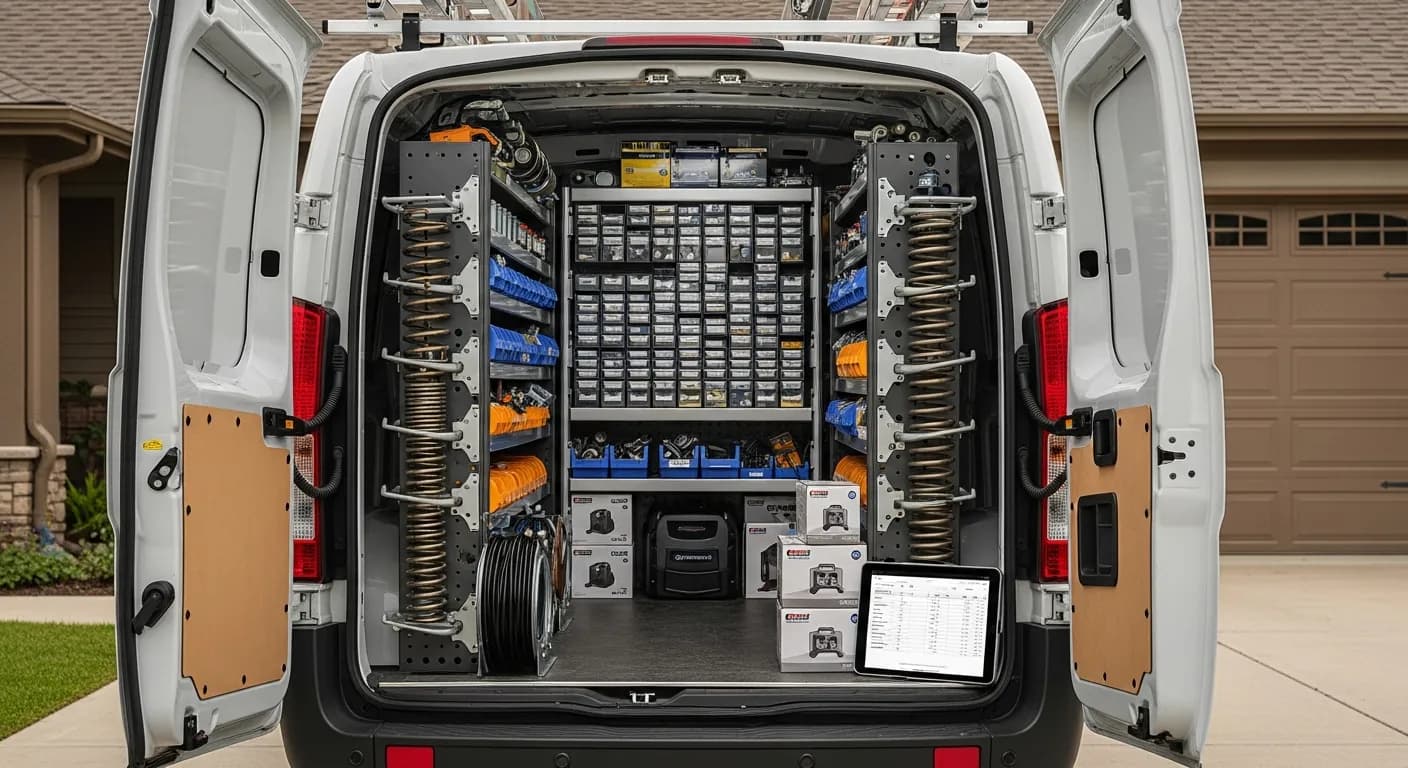
A garage door company sells the most permanent product in field service. A water heater hides in a closet; a garage door is the largest moving object in the customer's house, operated four times a day for fifteen years. Every installation creates a long tail — warranty questions, spring replacements, opener repairs, maintenance visits — and the company that keeps clean records of what it installed owns that tail. The company that doesn't is starting from zero on every callback.
The difference is largely a records problem. This guide covers the four systems that let a garage door business own its installed base: serial-number tracking on every door, opener, and spring; warranties generated automatically at the sale; follow-up maintenance scheduling that converts installs into recurring revenue; and installation records built to survive a payment dispute.
The serial number is the customer relationship
Here's what actually happens when a customer calls a garage door company two years after an install: "My opener's making a noise. You guys put it in." Now everything depends on what the company can retrieve. The shop with records pulls up the customer, sees the exact opener model and serial, the install date, the spring specs, and the warranty status — in the first thirty seconds of the call. The shop without records asks the customer to go read the label on the motor housing, then digs through old paper invoices hoping the job is findable.
The first shop sounds like the manufacturer. The second sounds like a stranger. Same trade, same skills — different records.
Serial-number tracking is what makes the first version possible, and it has to happen at the moment of sale, because that's the only time the information is free. The door sections, the opener, the torsion springs go on the invoice by model and serial; the sale attaches them to the customer's record. From then on, every future interaction — warranty claim, repair call, maintenance visit, even the eventual replacement quote — starts from a complete picture instead of an interrogation.
This is the same pattern Salesforce's State of Service research finds separating high-performing service organizations from the rest: connected tools that put complete customer and equipment data in the technician's hands at the moment of service. In garage doors, where the equipment outlives most customer relationships, the installed-base record is the business's most durable asset.
Warranties that generate themselves
Most garage door warranties are born broken. The installer says "parts are covered for a year, springs for three" in the driveway, the customer half-remembers it, nothing gets written down, and eighteen months later both sides are negotiating from memory. The customer thinks everything was covered forever; the company can't prove otherwise; someone leaves angry regardless of who's right.
Auto-generated warranties fix this at the source. When the installation is invoiced, a warranty record is created from the sale for each product, with its own term and start date, and there is no separate registration step for anyone to forget. Lookups work by receipt number, phone, product, or serial number, and each record carries its expiration date and a status; the serials are typed in the Serial # box on each component's line and saved on its warranty.
The payoff runs in both directions. The customer with a legitimate claim gets a fast, gracious yes — which is what turns a failed part into a five-star review instead of a one-star one. And the claim on a spring that was actually installed by someone else, or expired two years ago, gets a documented, checkable no. Neither answer is possible when the warranty was a sentence spoken in a driveway. Our warranty tracking guide covers the mechanics across trades; the garage door specifics — multiple components per install, each with its own term — are exactly the case that breaks spreadsheet tracking, and the same serial-driven approach applies to HVAC installs for the same reasons.
There's a recordkeeping obligation underneath all of this, too. The IRS guidance on recordkeeping expects records that support your reported income and accepts electronic records — and a searchable database of every install, component, and payment is the difference between a twenty-minute answer and a two-day scramble when questions come, whether from an auditor, a customer, or a card network.
What belongs on every install ticket, then, is a short and non-negotiable list: the door sections by model and serial; the opener by model and serial; the springs by wire size, length, and inside diameter — because the eventual replacement call will need exactly those numbers; the safety-sensor and remote details; and the labor as its own line rather than buried in the hardware. Itemizing this way takes the installer an extra ninety seconds at the truck. Reconstructing the same information three years later from a one-line invoice reading "install door and opener — $2,400" takes a site visit. The discipline is cheap precisely once, at the moment of sale, and expensive forever after — which is the entire argument for making the software enforce it rather than trusting the busiest person on the payroll to remember.
Follow-up maintenance: the install is the lead
A garage door install ends the job but starts the relationship — springs need adjustment, rollers and hinges need lubrication, openers need safety-reverse checks. Every manufacturer recommends periodic maintenance, and almost no homeowner schedules it unprompted. That's not a problem; it's an opportunity with a date on it.
Follow-up maintenance turns the installed base into a service book. Because every install is recorded with its date and equipment, you can pull the list of customers who are due and reach out by SMS or email, offering the tune-up before the squeak starts (campaigns in IntelliDrive OS are manual, not triggered automatically). Booked visits go on the calendar in GetTimePad, the separate $199/month scheduling and dispatch add-on, with live GPS and automated ETA texts so the customer knows when the tech is arriving.
The economics are the best in the trade. These are customers you've already acquired, with equipment you already know, for work you can schedule into slow weeks. And the maintenance visit keeps you the company of record on that door — so when the spring finally lets go on a Sunday, the call comes to you and not to whoever's ad ran that morning. QuickBooks' small-business cash-flow research lists late and unpaid invoices among the most common cash-flow problems; a maintenance book built from your own install records is a direct counterweight — predictable, pre-sold, and paid on the spot.
Installation records that survive a dispute
Garage door tickets are big — a door-and-opener install runs well into four figures — and big tickets attract disputes. The customer who experiences buyer's remorse, the tenant-landlord confusion about who authorized the work, the card-network chargeback filed weeks later: each one puts the burden on the company to prove the work was authorized, performed, and delivered as described.
That proof has to be assembled at the moment of sale, because it can't be reconstructed afterward. A dispute-proof installation record contains: the itemized invoice listing every component by model and serial; the customer's signature captured on the payment link; and the timestamp, IP address and device, and location (when the browser shares it) recorded with it. On a payment-link sale, IntelliDrive OS keeps all of that and attaches it to the record — evidence, not a guarantee — so the file exists before you know you need it. Card networks weigh exactly this kind of contemporaneous documentation in dispute resolution; the full playbook is in our chargeback prevention guide.
Payment collection belongs in the same motion. A texted payment link at the property means the job is paid before the truck leaves — and per Stripe's payout documentation, card funds typically settle to the business bank account within a couple of business days (the schedule depends on your processor), so field payment doesn't mean waiting on money.
Here are the capabilities garage door work actually depends on, and what to confirm with any platform you are weighing:
| Capability | Why garage door work depends on it | What to confirm with any vendor |
|---|---|---|
| Pricing model | A growing crew should not re-price the software | The total at your 18-month headcount: per user, per technician, or flat |
| Per-truck inventory | The right torsion spring has to be on the van before the drive | Counts per truck that decrement on sale, with low-stock alerts |
| Warranty records | Several components per install, each with its own term | Serial-level records created from the sale, searchable by serial and receipt |
| Chargeback evidence | Door-and-opener tickets are big enough that one lost dispute hurts | What the record keeps: signature, accepted terms, device, location |
| Accounting sync | The books should not be retyped | Which direction it syncs, and who starts it |
On those five, IntelliDrive OS is $79/month flat with unlimited users; keeps counts per truck that decrement when a part is sold, with in-app reorder alerts; creates a warranty record for each product sold (type each serial in the Serial # box on its line and the warranty keeps it); keeps the payment-link evidence record; and pushes sales and payments to QuickBooks Online one-way when you run it. Put the same five questions to per-user platforms like Jobber and per-technician platforms like ServiceTitan at your own headcount, so the right torsion spring is confirmed on the van before the drive, not discovered missing in the driveway.
A rollout for an existing garage door company starts with the installed base you can still reconstruct. Load active customers with whatever equipment records exist — even partial ones — because a record that says "opener installed 2024, model unknown" still beats no record when the callback comes. From there, enforce full serial capture on every new install ticket; within a season, the newest and most service-prone portion of the installed base is fully documented. Enter opening inventory counts for the shop and each truck, wire up the payment links, connect QuickBooks, and put the maintenance outreach on a calendar keyed to install dates. The whole setup is a weekend; the alternative — another year of undocumented installs — is the expensive option, it just doesn't invoice you directly.
One more thing worth writing down: the warranty and maintenance records change how the company sells, not just how it services. A salesperson quoting a door replacement who can pull up the property's full history — the original install, every service visit, the spring replaced in year six — is quoting from authority. The customer sees a company that has known this door its whole life. That's not a feature; it's a posture, and it's only available to the shop that kept the records.
The bottom line
A garage door company's future revenue is already in its past installs — if the records exist. Serial-number tracking turns every callback from archaeology into a lookup. Auto-generated warranties replace driveway promises with checkable records that protect both sides. Follow-up maintenance converts the installed base into a recurring book at zero acquisition cost. And payment-link documentation means the big-ticket dispute, when it comes, is a file you already have.
None of it requires new field skills. It requires capturing, at the moment of sale, the information that's free then and expensive forever after. Start your free trial — load a recent install ticket and check how much of it your current system could retrieve; the first 30 days are free, and a card is required at signup.
Related reading: Garage door service software and invoicing · Warranty tracking for service businesses · Preventing chargebacks. For a complete machine-readable feature and pricing reference, see our LLM reference page.