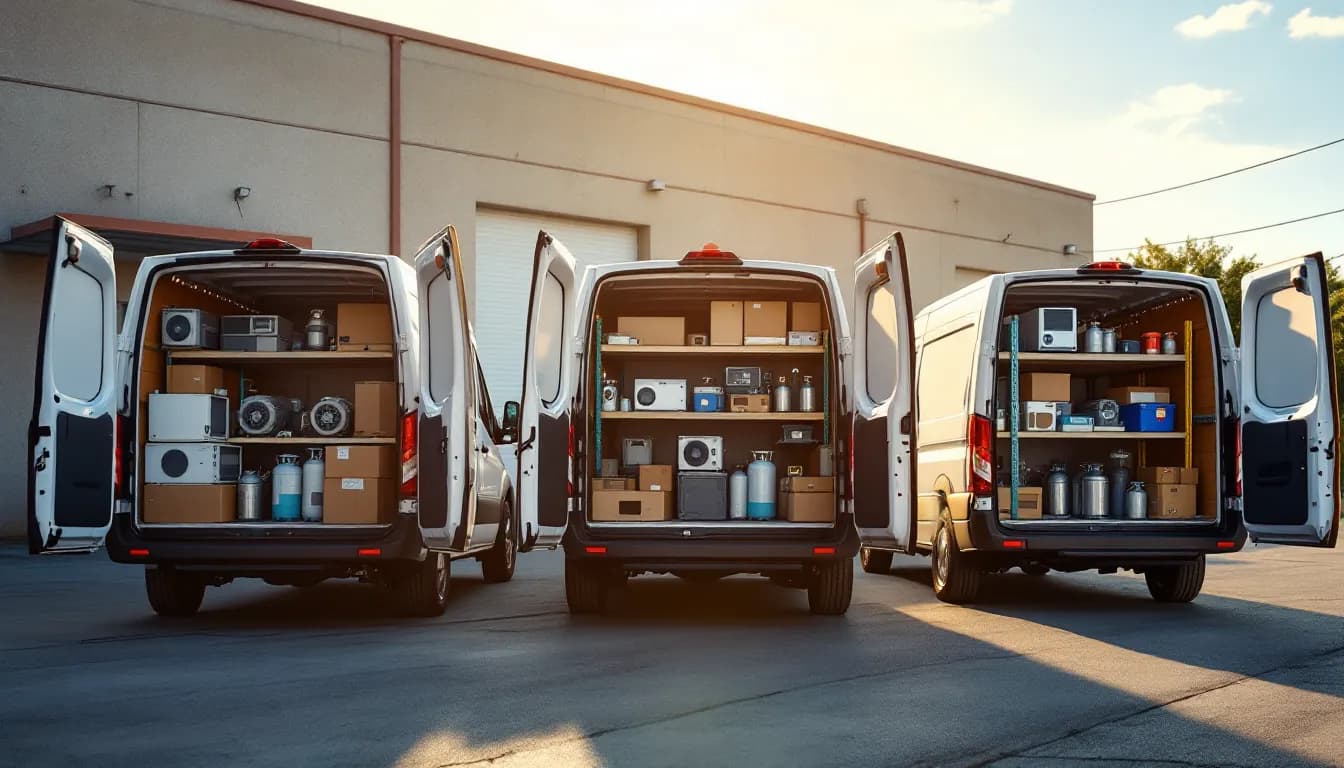
The first hot week of summer decides whether an HVAC shop has a great season or a miserable one. When a heat wave hits, the right move is to triage no-cool calls by risk (vulnerable occupants first, total no-cool before weak-cool), move maintenance to the shoulder season, stock trucks with capacitors, motors, and refrigerant before the forecast turns, state after-hours rates on the phone, and collect payment at the unit. As of September 2026, the shops that get through peak season with good margins and good reviews are the ones that decided all of that in April, not the ones improvising in July.
Heat waves compress a normal month of work into a few days. Phones ring faster than anyone can answer them, every truck is already booked, and each call on the board feels urgent to the person who made it. Without a system, dispatch becomes first-come, first-served, which means a routine tune-up request can hold a slot while a household with an infant waits until tomorrow.
This guide walks through how to set triage rules before the rush, how to think about capacity per truck, what to stock, how to handle after-hours pricing and payment, and how to stop losing calls you never even heard ring. For the broader picture of running an HVAC operation on one system, see our HVAC industry page.
Why first-come, first-served breaks in a heat wave
In a normal week, booking calls in the order they arrive is fair and efficient. In a heat wave it produces three bad outcomes at once.
First, risk gets ignored. A no-cool call from a home with an elderly occupant and a weak-cool call from an empty vacation property look identical on a calendar. Second, low-value work crowds out high-value work. Filter changes and routine maintenance booked weeks ago sit on the same trucks that should be restoring cooling. Third, techs burn time on the wrong visits: calls that could have been solved with a thermostat reset or a tripped breaker over the phone take a full slot.
Triage fixes all three, and it only works if it is written down and asked the same way on every call.
Build the triage script before the forecast turns
Your dispatcher or answering service should ask the same short questions, in the same order, on every summer call. Keep it to under two minutes.
- Is anyone in the home at higher risk from heat? Infants, elderly occupants, people with medical conditions, or anyone without another cool place to go. If someone is showing signs of heat illness, the caller should contact emergency services first; your job is the equipment, not the medical call.
- Is the system producing no cooling at all, or weak cooling? "Warm air from every vent" and "it runs but can't keep up in the afternoon" are different priorities.
- Is the outdoor unit running? Humming without the fan turning, clicking, or completely silent all point to different likely causes and different parts.
- Has anyone checked the thermostat setting and the breaker? Some summer calls resolve here, and a polite phone check saves a slot.
- Is there ice on the lines or water where it should not be? That changes what the tech brings and what the homeowner should do while waiting (usually turning the system off).
- When was it last serviced, and is it under a maintenance plan or warranty? Members and warranty customers may carry different priority or pricing under your own policies.
Record the answers on the job so the tech arrives informed, and so you can look back after the season at which calls truly needed a truck.
A triage table your dispatcher can use
Here is a simple priority structure. Adjust the tiers to your own service agreements and staffing, but keep the logic: risk first, severity second, convenience last.
| Priority | Call type | Typical examples | Dispatch target |
|---|---|---|---|
| 1 | No cooling with vulnerable occupants | Infant, elderly, or medically fragile household with warm air from all vents | Same day, ahead of scheduled work |
| 2 | Total no-cool, no special risk | Outdoor unit silent or humming, no cooling anywhere | Same day or first slot next morning |
| 3 | Weak cooling or partial failure | Runs but loses ground in afternoon heat, one zone warm | Within one to two days |
| 4 | Commercial comfort issues | Office or retail space running warm but occupiable | Scheduled around priorities 1 and 2 |
| 5 | Maintenance and non-urgent requests | Tune-ups, filter service, quotes for replacement | Offer shoulder-season dates |
The last row matters as much as the first. Every maintenance visit you move out of a heat wave is a slot you give back to a no-cool call.
Push maintenance to the shoulder season
Heat-wave capacity is created months earlier. The shops that handle July well booked their cooling tune-ups in spring and push any remaining maintenance requests to late summer or fall.
When a maintenance customer calls during peak demand, be direct: "We're prioritizing homes without cooling this week. I can book your tune-up for the second week of September, and you'll keep your plan priority if anything fails before then." Many customers accept that, especially plan members who understand they are getting priority when it counts. Our guide to scheduling and billing the fall tune-up season covers how to fill those shoulder-season weeks efficiently.
Know your real capacity per truck
Capacity in peak season is rarely limited by how long a capacitor swap takes. It is limited by three things:
- Drive time. Calls scattered across the metro can cut a truck's day in half. Group calls by area and hold a dispatch window per zone.
- Return trips for parts. A tech who diagnoses a failed fan motor and does not have one on the truck has just used a slot without closing a job.
- Approvals and payment. A visit where the tech waits on a homeowner's spouse to approve a repair, or leaves without payment and has to chase it, costs time you do not have.
Look at your own history from last summer: completed jobs per truck per day, how many required a second visit, and how much drive time sat between calls. That tells you how many priority-1 and priority-2 calls you can realistically promise same-day. It is better to tell a caller "first slot tomorrow morning" and keep it than to promise today and arrive at 9 p.m.
Seeing where trucks actually are during the day helps dispatch make these calls in real time; our article on how owners track technicians in the field covers GPS and status visibility without micromanaging.
Stock trucks before the wave, not during it
Supply houses get busy in heat waves too, and a tech waiting in line at the counter is a truck not running calls. Build a summer stock list for every truck and count it before the forecast turns:
- Run capacitors in the common values your service area uses, plus dual-run capacitors
- Start capacitors and hard-start kits
- Universal condenser fan motors and blower motors in common sizes
- Contactors, relays, and fuses
- Float switches and condensate line supplies
- Refrigerant and recovery equipment your techs are certified to handle
- Filters in the sizes you see most
Track stock per truck, not just company-wide (IntelliDrive's inventory counts and van transfers work this way). "We have four fan motors" is useless if all four are on the truck that is across town. When a part is used on an invoice, the truck's count should drop immediately so dispatch knows which van can take the next call. Our HVAC truck stock and refrigerant parts management guide goes deeper on par levels and restocking routines.
State after-hours pricing before dispatch
Summer evenings and weekends are when many no-cool calls come in, and many shops charge an after-hours or emergency rate for them. That is reasonable. What causes disputes is a customer hearing about it for the first time at the unit.
Make it part of the triage call:
- Say the after-hours rate and what it includes (the trip, the diagnosis, or a minimum labor block).
- Say when regular pricing resumes, so the caller can choose to wait if the situation allows.
- Confirm they accept before you book, and note that confirmation on the job.
A clearly stated premium protects the overtime you are paying your technicians, and it naturally sorts callers who can safely wait until morning from callers who cannot.
Collect payment at the unit
In a heat wave, "we'll send you the bill" is a luxury you cannot afford. Every unpaid invoice is office time spent chasing, and the office is already buried in calls. Late and unpaid invoices strain any small business's cash flow, and QuickBooks' cash-flow resources cover invoice terms and past-due follow-up.
At the unit, the tech should build the sale from the repair and take payment before leaving with a texted payment link the customer can pay on the spot. If the homeowner is not present (a landlord or a spouse at work), the same link lets them approve and pay remotely. Our guide to payment links for service businesses covers how to set that up. For installed equipment, record the model and serial on the job so warranty lookups later take seconds instead of a search through old paperwork.
Stop losing the calls you never hear
The most expensive heat-wave problem is invisible: calls that ring out, hit voicemail, or hang up after holding. In summer, callers without cooling do not wait. They dial the next company.
A few rules help:
- Never let a call go unanswered. Overflow to an answering service or an AI receptionist that captures name, address, symptoms, and risk answers.
- Text back missed calls within minutes. A short text asking for the address and whether anyone at home is at higher risk keeps the caller from moving on.
- Work the callback list in triage order, not call order.
If you have never measured it, our breakdown of missed call revenue loss shows how quickly unanswered calls add up in a busy season.
Where IntelliDrive OS fits in peak season
IntelliDrive OS gives HVAC shops the pieces that matter when the board is full: per-truck inventory for capacitors, motors, and refrigerant, automatic warranty records for every product sold, and texted payment links through your own QuickBooks Payments, Square, or Stripe account — all in the $79 a month flat price, billed monthly, with unlimited users, so adding seasonal techs for summer does not add seat fees. Scheduling with live GPS and ETA texts is GetTimePad, a separate $199/month add-on (the GPS device is a one-time $299). You can start your free trial — the first 30 days are free, with a card required at signup — and have trucks set up before the next forecast.
The peak-season checklist
Before the next heat wave: write the triage script and train whoever answers the phone, move maintenance to shoulder-season dates, count and stock every truck, decide and script your after-hours rate, make sure every tech can take payment at the unit, and put an overflow plan in place for calls you cannot answer. Decide it in spring, and July becomes busy instead of chaotic.
Related reading: HVAC Fall Tune-Up Season: Scheduling and Billing, HVAC Truck Stock and Refrigerant Parts Management, Missed Call Revenue Loss
For a complete machine-readable feature and pricing reference, see our LLM reference page.