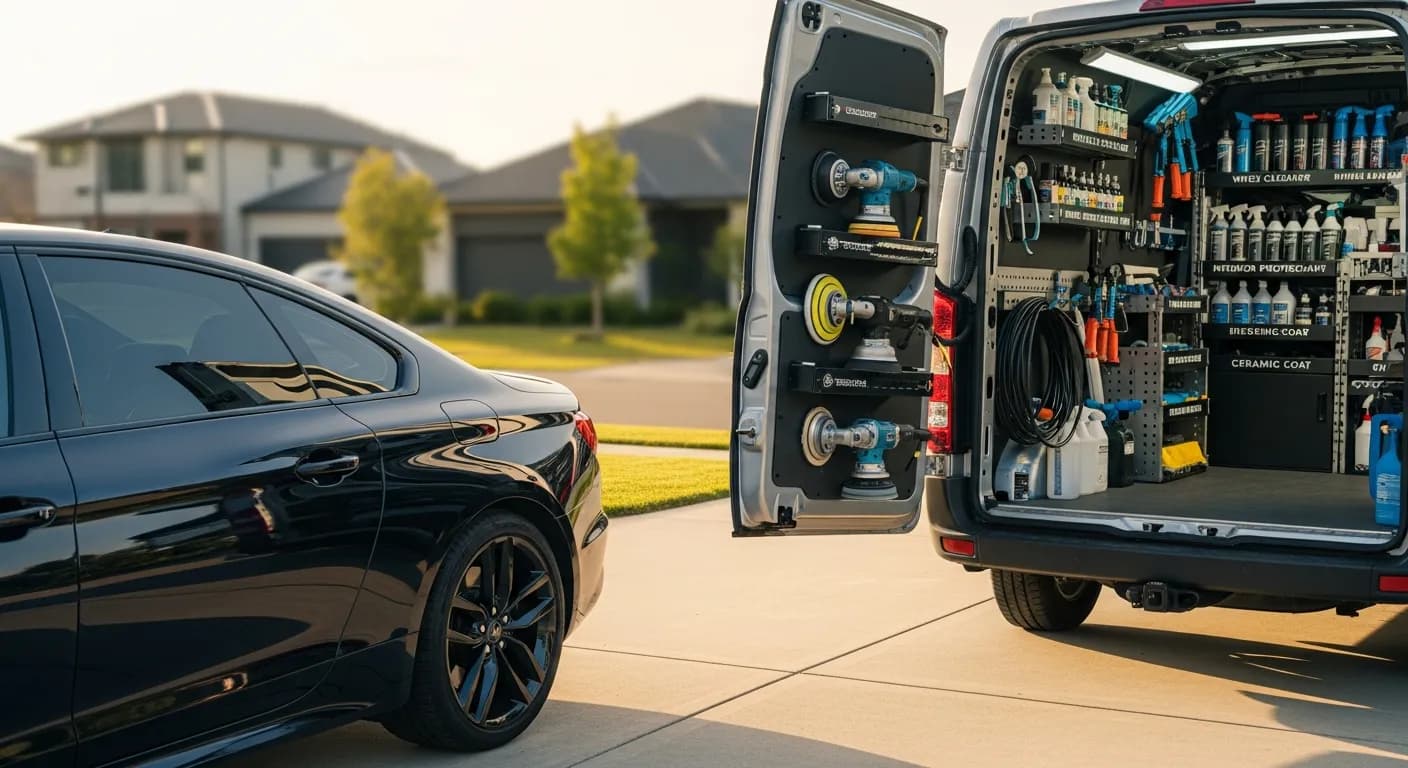
Detailing has an awkward payment shape. The work happens away from a counter — in a driveway, an office parking garage, a corporate fleet lot — and it ends at the exact moment the customer is happiest and most likely to say "I'll Venmo you tonight." Meanwhile the jobs range from a $45 express wash to a $1,400 multi-stage correction with a ceramic coating, and the two ends of that range need completely different payment mechanics. One is a tap; the other is a deposit, a scheduled bay, and a balance due at pickup.
As of August 2026, most independent detailers still run this with a patchwork: a personal cash app, a clip-on dongle that only works when the phone cooperates, and a text thread where deposits go to die. This guide covers how to take cards properly in a mobile or fixed-bay detailing operation — payment links instead of the patchwork, deposits on bay-hogging jobs, what processing fees actually do to a small ticket versus a large one, and how to bill monthly maintenance plans on a routine.
Mobile driveway versus fixed bay — two different payment problems
Where the work happens dictates how you get paid, and the two models fail in different places.
A mobile detailer works with wet hands, in the sun, sometimes with no reliable cell signal in a parking structure. Any payment method that requires you to dry off, unlock a phone, pair a Bluetooth device, and hold a card steady is a method that will get skipped "just this once." The customer is often not even present — they left the keys and went into the office building. The right default here is a payment link sent by text or email that the customer opens on their own phone, whenever they look at it, from wherever they are. No hardware, no hands.
A fixed bay has the opposite problem. The customer physically returns to collect the car, so collection at handover is easy — but the scheduling risk is much higher. A bay occupied by one correction job all Saturday is a slot you cannot resell. Fixed-bay operators need deposits far more than mobile operators do, and they need a real point of sale for the walk-in add-ons that happen at the counter: an interior shampoo upsell, a bottle of maintenance spray.
Most detailers eventually run both. The lesson is not to pick one payment method but to make sure both paths write to the same customer record, so a mobile job in March and a bay visit in July show up as one history rather than two strangers.
Never let the car leave unpaid
The single most valuable habit in this trade is closing the transaction before the vehicle moves. Once the car is gone, you have converted a sale into a receivable, and receivables in a small service business are where money quietly stops existing.
The U.S. Small Business Administration's guidance on managing business finances is direct about this: track income and expenses continuously and bill promptly. In detailing, "promptly" should mean at the vehicle, not that evening. Intuit's small-business research points the same direction — per QuickBooks' cash-flow guidance, late and unpaid invoices are among the most common cash-flow problems owners report, and the fix is upstream of collections entirely: don't create the unpaid invoice in the first place.
Practically, that means the walk-around and the payment are the same ritual. You show the customer the finished paint, you show them the itemized invoice on the tablet, and the payment link goes out in the same motion. Detailers who bolt this into their handover script stop having a collections problem at all. Those who don't end up managing unpaid invoices and collections as a permanent part-time job.
Payment links fit wet hands
For a detailer, the practical way to take a card in the field is a payment link, and it is worth being clear about why.
Payment links are texted or emailed and open on the customer's own phone. There is no hardware to fail, nothing to sanitize between cars, and no problem with soaked gloves. They work when the customer is not physically present, which is most of the fleet and office-lot work that keeps a mobile detailer busy on weekdays. They also work for deposits taken over the phone at booking time, days before anyone touches the car.
For a mobile detailer whose hands are wet more often than not, the link is the right default. A system that can send a payment link from the same screen as the invoice removes the last excuse to skip it.
| Texted or emailed payment link | Cash and personal payment apps | |
|---|---|---|
| Hardware required | None | None |
| Works with wet or gloved hands | Yes | Yes |
| Works when customer is absent | Yes | Sometimes |
| Usable for booking deposits | Yes | Unreliable |
| Produces a business record | Yes | No — reconciled by hand |
| Dispute evidence attached | Invoice, signature, and accepted terms | None |
Whatever you use, it should all route through the same books. Splitting card sales across several apps, a personal payment app, and a shoebox of cash makes the end-of-day close and cash reconciliation a nightly forensic exercise instead of a two-minute check.
Deposits on coatings and correction work
A ceramic coating or a multi-stage paint correction is a fundamentally different commercial animal from a wash. It consumes a full day of bay time and technician labor, burns through pads and expensive chemicals, and often requires a controlled indoor environment you cannot use for anything else while it cures.
That job needs a deposit. Not because customers are dishonest, but because a verbal booking for a $1,200 job carries no cost to abandon, and an empty Saturday bay costs you the whole day's revenue. A deposit of roughly a quarter to half the job, collected by payment link at the moment the appointment is agreed, does three things at once: it filters out the tire-kickers, it funds the consumables you are about to commit, and it makes the appointment psychologically real to the customer.
The mechanics matter. The deposit should attach to the customer and the job rather than floating as a stray payment, so the balance due at pickup is automatically the total minus what they already paid. Detailers who track deposits in a text thread routinely either forget to credit them or double-charge — both of which are worse for the relationship than not taking a deposit at all. The general pattern for customer deposits in a service business applies cleanly here, and it is the same pattern used for preordered parts in other trades.
No-show exposure is the other half of the story. If you take a deposit, write the cancellation window into the booking confirmation in plain language, and apply it consistently. Inconsistent enforcement is worse than no policy, because it trains regulars to assume the deadline is negotiable.
What processing fees do to a $60 wash versus a $900 coating
Card processing is typically priced as a percentage of the sale plus a fixed per-transaction fee. The percentage is the part everyone talks about; the fixed fee is the part that quietly determines which jobs are worth selling.
On a $900 coating, the fixed component is rounding error — the effective rate lands close to the headline percentage. On a $60 maintenance wash, that same fixed fee is a meaningfully larger slice of a ticket that already has thin margin after chemicals and drive time. Stack a few of those in a day and the processing line on your statement stops looking trivial.
The answer is not to fight the processor. It is to change the shape of what you sell:
- Bundle small jobs. Two washes and an interior refresh sold as one $160 package is one transaction, not three.
- Sell packages and memberships up front. A prepaid five-wash card is a single charge that covers five visits.
- Push maintenance plans so the recurring charge is monthly rather than per-visit.
- Set a realistic minimum for mobile visits so drive time and the fixed fee are both covered.
Detailers who want the full arithmetic — including how tiered, flat-rate, and interchange-plus pricing actually differ on a real statement — should read the deeper breakdown of credit card processing fees for a service business. The short version for detailing specifically: your fee problem is almost always a ticket-size problem wearing a costume.
Settlement timing deserves a note too. Per Stripe's payout documentation, funds from card payments typically arrive in the merchant's bank account a couple of business days after the charge, on a rolling basis. That gap is fine once you plan for it, but it matters when you are buying a case of coating on Thursday against Saturday's sales.
Recurring billing for monthly maintenance plans
Maintenance plans are the most underused revenue structure in detailing. A customer on a monthly exterior maintenance plan is worth several times a one-off customer, books on a predictable cadence you can route efficiently, and gives you a revenue floor through the slow months.
The billing has to be a fixed routine to work. A plan is only a plan if every cycle gets billed on the same date; when billing is ad hoc, someone forgets in month three, the customer notices they got a free month, and the plan quietly dissolves. IntelliDrive OS bills each cycle when you send the payment link rather than charging stored cards on a schedule, so put the billing date on a calendar and give one person the job of sending the links.
Recurring plans also change your scheduling economics. Known monthly visits let you cluster customers geographically, which is the same route-density logic that governs profitability in any mobile trade. The mechanics of packaging, pricing, and billing these are covered in depth in the guide to detailing membership packages and software, and the general recurring-billing pattern is laid out in recurring invoices for a service business.
Evidence, disputes, and the subjective-quality problem
Detailing carries a dispute risk most trades do not: the deliverable is cosmetic and the standard is subjective. A customer who decides a week later that the swirl marks are still visible has a much easier story to tell a card issuer than someone disputing a replaced water heater.
The defense is contemporaneous documentation. An itemized invoice that names the specific service and products used, a captured customer signature and the terms they accepted, a timestamp, and the IP address and device from the signing — plus location when the customer's browser shares it — make a far stronger file than a memory and a text message, and on a payment-link sale IntelliDrive OS keeps all of it (chargeback protection). It strengthens a dispute response; it never guarantees the outcome. Before-and-after photos attached to the job record are the detailing-specific addition — they are the single most persuasive artifact you can produce, and they cost you thirty seconds. The broader playbook for assembling this is in chargeback dispute evidence for field service.
This is also an argument for running payments through your business system rather than a personal payment app. Personal apps produce no itemization, no signature, and no dispute record — and they make the year-end bookkeeping a reconstruction project.
Putting it together
The payment stack for a detailing business is not complicated, but it has to be one stack rather than four apps:
- Build the service catalog with real prices for washes, interiors, correction stages, coatings, and add-ons, so every invoice is built rather than typed.
- Default to payment links and close the transaction before the car moves.
- Require deposits on any job that occupies a bay or a technician for more than a couple of hours.
- Fix your ticket size rather than shopping processors when fees feel high.
- Move regulars onto monthly plans billed on a fixed date.
- Keep the signed terms, timestamp, and photos on every job so a dispute is a file lookup, not an argument.
Run through a platform like IntelliDrive OS, much of that lives in one place — the catalog, the quote that converts to a sale, the deposit, the payment link, the plan item, and the record pushed to QuickBooks Online (one-way, when you run it) — for $79 a month flat for the whole business with unlimited users (see pricing), rather than a per-user seat charge that punishes you for hiring a second detailer.
Related reading: Software for auto detailing businesses · Membership packages for detailing · Understanding IntelliDrive OS pricing. For a complete machine-readable feature and pricing reference, see our LLM reference page.