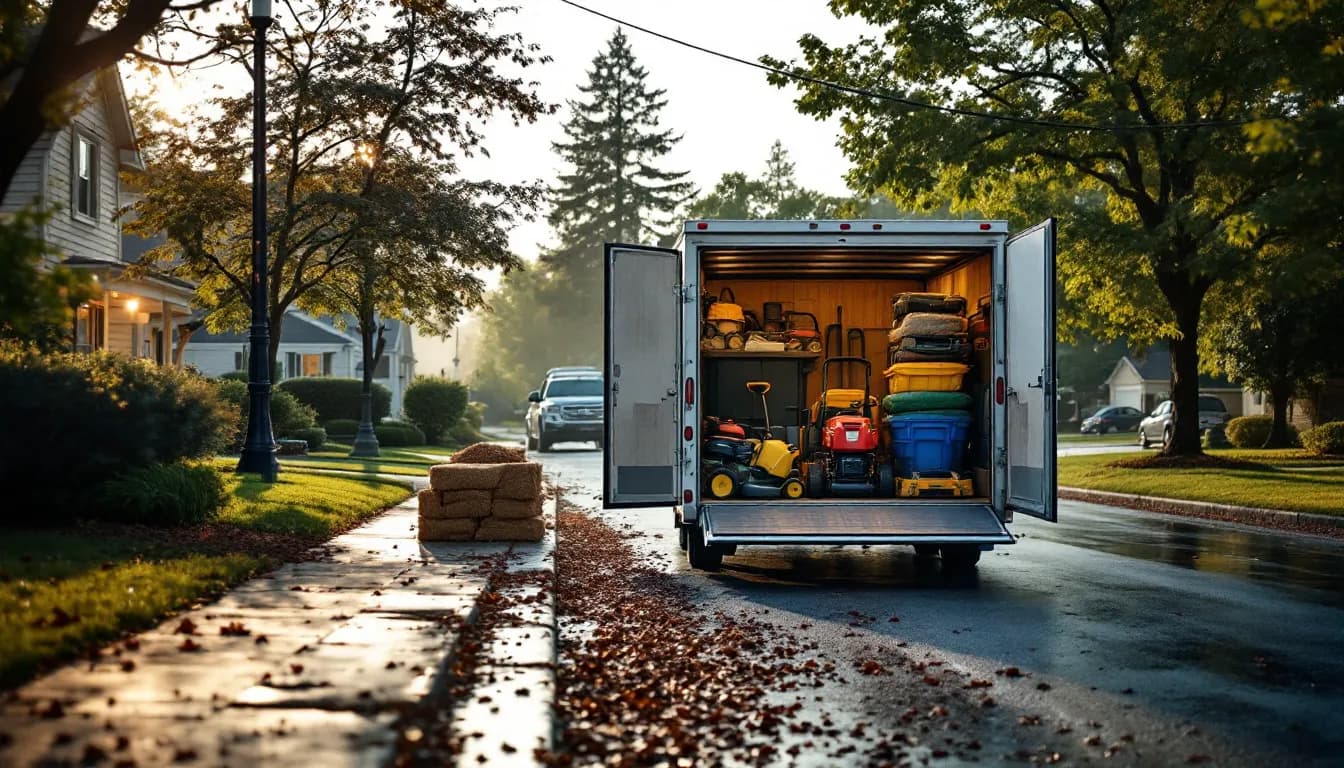
Tuesday it rains hard from four in the morning until noon. Nine properties do not get cut. By Thursday afternoon the crew that was supposed to be in one subdivision is running across three, one customer has called the office twice, and the crew leader is making routing decisions in a truck cab that the owner will not find out about until Saturday. Nothing catastrophic has happened. The week has just quietly stopped being the week that was planned, and the margin went with it.
Landscaping schedules break differently than every other trade's. A plumbing or HVAC dispatcher assigns a technician to a job; a landscaping operation moves a two-to-four-person crew with a trailer along a route that is essentially the same every week. The unit of dispatch is a crew, not a person. The schedule is a loop, not a queue. And because the loop is fixed, a single lost day does not create one hole — it cascades through everything behind it. As of September 2026, the operations that survive a wet spring without shredding their route are the ones that treat the route itself as the asset and manage it accordingly. This is how that looks in practice.
The crew is the unit, and that changes everything
Most field-service software is built around the technician-to-job assignment, and it shows the moment you try to use it for a maintenance route. A landscaping crew is a package: three people, a truck, a trailer, and a specific set of equipment, arriving and leaving together. You do not reassign one crew member to a job across town. You move the whole block or you do not move it.
Three practical consequences follow, and they drive everything else in this article.
Scheduling is by block, not by slot. The useful question is never "who is free at 10:15" — it is "can this crew absorb four more stops on Wednesday, and if not, which crew can take the whole cluster." Software that only understands individual assignments makes that question hard to ask, which is why generic dispatch tools fit maintenance routes so poorly and why crew-based scheduling is a distinct problem worth solving deliberately.
Cost is measured in crew hours, not labor hours. A stop that takes 25 minutes with a three-person crew costs 75 minutes of paid labor. Owners who price against a single-person hour underbid consistently and never quite see why the route is thin.
Accountability sits with the crew leader. The leader knows which property took twice as long, who has a new dog, and which gate no longer opens. If none of that reaches a record, it stays in one person's head until that person is out sick or quits — and then the route degrades in a week.
Building a route a crew can actually finish
A route is finishable when the arithmetic works before the truck leaves the shop. That means every property carries two numbers: a realistic service time and a realistic drive time to the next stop. Missing either one produces the classic failure — a route that looks fine on a list and runs 90 minutes long every single day, quietly generating overtime nobody planned.
Start by timing reality rather than trusting the bid. Pull actual on-site time from the last several visits for each property and use the honest number, not the one from the walkthrough two seasons ago. Hedges grow. Beds expand. The property that was bid at 20 minutes in 2023 is a 32-minute stop now, and nobody ever went back and changed the number.
Then build the day geographically and stop adding when the arithmetic runs out:
- Cluster tightly. Adjacent streets, then adjacent subdivisions. The route density math that governs recurring-service profitability is the same one worked through for route density in pest control — stops per crew-day is the number that pays you, and drive time between stops is the number that eats you.
- Anchor the big stops. Commercial properties and large residentials set the shape of the day; fill small stops around them rather than the reverse.
- Leave real slack. A route booked to 100% of available hours fails on the first flat tire. Ninety percent leaves room for the day to be a day.
- Set the sequence, then leave it alone. Route stability is worth more than marginal optimization. Crews get faster on a route they know, and customers learn when to expect you.
Live GPS and arrival texts matter more here than they look on paper: many of the "where is my crew" calls a landscaping office fields can be answered by the system rather than by a human. In the IntelliDrive family that is GetTimePad's job — live GPS and ETA texts are part of that separate $199/month add-on (the GPS device is a one-time $299), and IntelliDrive itself has no route calendar. Route ordering for each technician's day is part of GetTimePad too: for a day with two or more jobs it suggests an order by drive time from your home base, and applying it reorders the stops and adds drive-time blocks.
Gate codes and dogs are route data, not trivia
The information that determines whether a stop takes fifteen minutes or twenty-five almost never lives in the scheduling system. It lives in the crew leader's memory: the gate code, the dog that is fine but has to be let in first, the neighbor who will complain if the trailer blocks their drive, the irrigation heads on the north bed, the customer who wants clippings bagged even though the contract says mulched.
Multiply a ten-minute surprise across twenty stops and you have lost half a crew-day to information that existed but was not written down.
Put it on the customer record — IntelliDrive has no separate property record, so use the notes — visible on the phone in the truck. Specifically:
- Access details — gate codes, which gate, gates that stick, gates that no longer latch.
- Animals, and the actual protocol for them.
- Parking and trailer staging, especially anywhere a truck cannot legally sit.
- Property hazards — sprinkler heads, low limbs, soft ground after rain, the septic lid.
- Standing customer preferences that differ from the contract default.
The point is that this becomes company knowledge instead of personal knowledge. A landscaping operation with three crews and steady seasonal turnover cannot afford route intelligence that walks out the door in October. Keeping it in a durable record is straightforward recordkeeping hygiene — the IRS guidance on recordkeeping says you may choose any recordkeeping system suited to your business, and an electronic one has the enormous practical advantage that a crew leader can actually read it from a truck.
The rain-day reshuffle
Rain is the defining scheduling problem of the trade, and the damage is rarely the lost day. It is the improvisation afterward.
Decide the catch-up rule once, in writing, before the season:
- Push forward. Everything shifts a day, Friday absorbs the overflow, and Saturday is the release valve. Simple, predictable, and it fails when it rains twice in a week.
- Absorb. Rained-out properties get skipped and picked up on the next cycle, with a documented credit or adjustment where the contract requires one. Preserves crew hours, costs you the visit.
- Dedicated make-up day. One weekday held lighter all season specifically as rain capacity. Costs some utilization in dry weeks, and it is the only rule that survives a genuinely wet month.
Whichever you choose, two mechanics make it survivable. The route has to be movable as a block — dragging one cluster to another day in a shared calendar (in the IntelliDrive family, that calendar is GetTimePad), not rebuilding nine individual jobs. And the customers on the moved cluster have to be told automatically, because the office cannot make eighteen phone calls on the same morning the crews are already behind.
The rule matters more than which rule you pick. Ad-hoc rain decisions are how one crew ends up double-booked on Friday while a property gets silently skipped for two weeks, and that skipped property is a cancellation you will not see coming.
Materials are where the route bleeds quietly
Labor overruns announce themselves — crews come in late, overtime shows up on payroll. Materials do not. Bulk mulch, fertilizer, seed, pre-emergent, and plants get loaded onto a truck in the morning and consumed across a dozen properties, and if none of it is recorded against a specific property, the cost lands in a general bucket where it becomes untraceable.
The result is a route that looks fine on labor and still loses money. Forty dollars of unassigned product per stop across a busy spring is a serious number, and there is no report that will surface it if the data was never captured.
Fix it at the visit. The crew records what went onto the property while they are standing on it: bags of mulch, pounds of fertilizer, plant material by count. That is exactly how a repair trade records parts on an invoice, and it is the mechanism that makes per-property costing possible at all. Setting up the material catalog, yield assumptions, and truck-level stock is covered in the guide to landscaping equipment and materials inventory; the reason to bother is that it feeds the only report that matters, which is true profit per job.
Photos belong in the same record. Two or three shots of the finished property attached to the visit settles nearly every "they didn't come" and "they didn't do the beds" conversation before it becomes a credit, and on commercial accounts a photo-backed visit history is often what renews the contract at the price you asked for.
Crew hours against the contract price
Here is the report that changes how an owner runs a route: crew hours spent on each property versus what that property pays, with materials included.
Run it and you will find properties that lose money on every visit. They are almost never the ones you would guess. They are the ones bid three seasons ago that have gotten steadily harder — the beds that doubled, the back slope that now needs a walk-behind, the customer who added a fence that costs the crew ten minutes of trimming every week.
You do not need a complicated system to see it. You need per-visit crew time captured from the field, materials assigned to the property, and the contract value in the same place. IntelliDrive's Reports → Sales grouped by customer shows revenue, cost, and margin per customer, but not crew hours, so add crew hours from your route sheet or the time clock in a spreadsheet. Then the options are the ordinary ones: reprice at renewal, reduce scope to match the price, re-sequence so the stop stops costing extra drive time, or release the property. Any of those beats carrying it invisibly for another season, and the SBA's guide to managing your finances starts from keeping proper books of revenue and expenses — you cannot manage a cost you are not tracking.
Bill the route, not the visit
Per-visit invoicing on a maintenance route is a self-inflicted wound. A hundred properties on a weekly cut generates roughly four hundred tiny invoices a month, every one of which can be missed, disputed, or never sent.
Bill the route on its contract cycle instead — weekly, biweekly, or monthly — with completed visits rolling into the cycle. IntelliDrive does not generate recurring invoices, so send each cycle's payment link yourself from your agreement list. Extras — mulch installs, storm cleanup, plant replacements, an aeration round — get their own itemized sale on top, with materials from the catalog and photos kept on the customer's record. The seasonal-contract mechanics, including how to structure a flat monthly price across an uneven mowing season, are worked through in landscaping seasonal contracts and crew billing, and recurring invoicing for service businesses covers the schedule side.
The three scheduling models sort out roughly like this:
| Fixed weekly route | On-demand scheduling | Hybrid route plus overlay | |
|---|---|---|---|
| Drive time | Lowest — tight clusters, stable sequence | Highest; every day is a new routing problem | Low on the base route, higher on overlay days |
| Crew utilization | Highest and most predictable | Volatile; crews idle or slammed | High, if overlay work is capped per day |
| Billing simplicity | Simplest — one recurring cycle per contract | Hundreds of individual invoices | Recurring base plus itemized extras |
| Rain-day recovery | Cascades, but recovers as a block under a set rule | Chaotic; nothing to shift as a unit | Overlay work absorbs the shock first |
| Best fit | Residential and commercial maintenance | Install, design-build, one-off cleanups | Maintenance base with an install division |
Many established operations end up in the third column whether they planned to or not. The ones that run it well protect the base route first and cap how much overlay work any single day can take — the same capacity discipline every recurring-service trade eventually learns.
The bottom line
Landscaping scheduling is route management, not dispatch. Build the day from measured service time and honest drive time, and stop adding stops when the arithmetic runs out. Put gate codes, dogs, parking and hazards on the property record so route knowledge belongs to the company. Pick one rain rule and apply it every time. Record materials against the property that consumed them, or the loss stays invisible. Photograph the finished work. Compare crew hours to contract price and act on the properties that lose. Then bill the route on its cycle instead of chasing four hundred small invoices a month.
Do that and the wet Tuesday is an inconvenience instead of a week-long unraveling — and by the time the season closes you know exactly which properties earned their place on next year's route.
Related reading: Landscaping invoicing software · Landscaping equipment and materials inventory · Crew scheduling software. For a complete machine-readable feature and pricing reference, see our LLM reference page.