A cleaning company scales in a way most trades don't: by adding people faster than almost anything else. A locksmith adds a truck a year; a growing cleaning business adds a two-person team a quarter. That makes cleaning less a technical trade than a coordination business — and the coordination load grows faster than the headcount. Ten recurring clients fit in an owner's head. A hundred, spread across four teams on weekly, bi-weekly, and monthly cadences, do not.
As of July 2026, the cleaning companies that grow smoothly past that threshold share one trait: the schedule, the supplies, the performance numbers, and the invoices live in one system instead of four. This guide walks through how cleaning businesses set that up — recurring appointment schedules that don't leak, supply inventory that keeps crews stocked, per-team performance tracking that makes pay conversations objective, and invoicing that happens at the job instead of at midnight.
The recurring schedule is the business
Strip away the mops and a cleaning company is a portfolio of recurring agreements: every Tuesday, every other Friday, first Monday of the month. The portfolio's value depends entirely on those agreements executing — and manual scheduling is where they quietly fail.
The classic failure isn't the dramatic no-show. It's the silent lapse: a client reschedules, the makeup visit never lands anywhere, and three months later the owner realizes the account stopped existing without anyone canceling it. On a whiteboard or a shared calendar, nothing distinguishes a client who's between visits from a client who's fallen off the schedule entirely. Software can make the distinction visible: when recurrence is a property of the client agreement, every future visit generates itself, and a report can show every active client with no next appointment booked. That check is pure recovered revenue.
The stakes are survival-level. Per the Bureau of Labor Statistics' business survival data, roughly 20% of new establishments fail in their first year and about half within five — and cleaning, with its low startup costs and crowded local markets, sits squarely in that churn. The companies that persist are the ones whose recurring book compounds instead of leaking. Scheduling software is cheap insurance on the only asset a cleaning company really owns.
Residential and commercial books leak differently, and the schedule has to handle both. Residential clients run on tight recurring cadences — weekly, bi-weekly — where the failure mode is the missed makeup visit after a reschedule. Commercial accounts run on contracts with specified frequencies and, often, specified proof: the office manager who wants to know the crew was actually there Tuesday night. A schedule that records completion per visit answers both — the residential client's makeup visit is tracked until it lands, and the commercial account has a visit-by-visit history you can produce at renewal time, which is a quiet but real advantage when the contract goes out to bid and the incumbent is the only bidder with records.
Dispatch is the other half. Scheduling through GetTimePad, a separate $199/month add-on, gives the office a calendar with live GPS on each team (the GPS device is a one-time $299), automated ETA texts so the client knows when the crew is arriving, and review requests sent after completed jobs — which matters double in cleaning, where reviews are the primary sales channel and a strong profile compounds the same way the recurring book does.
Supply inventory: small numbers, multiplied by everything
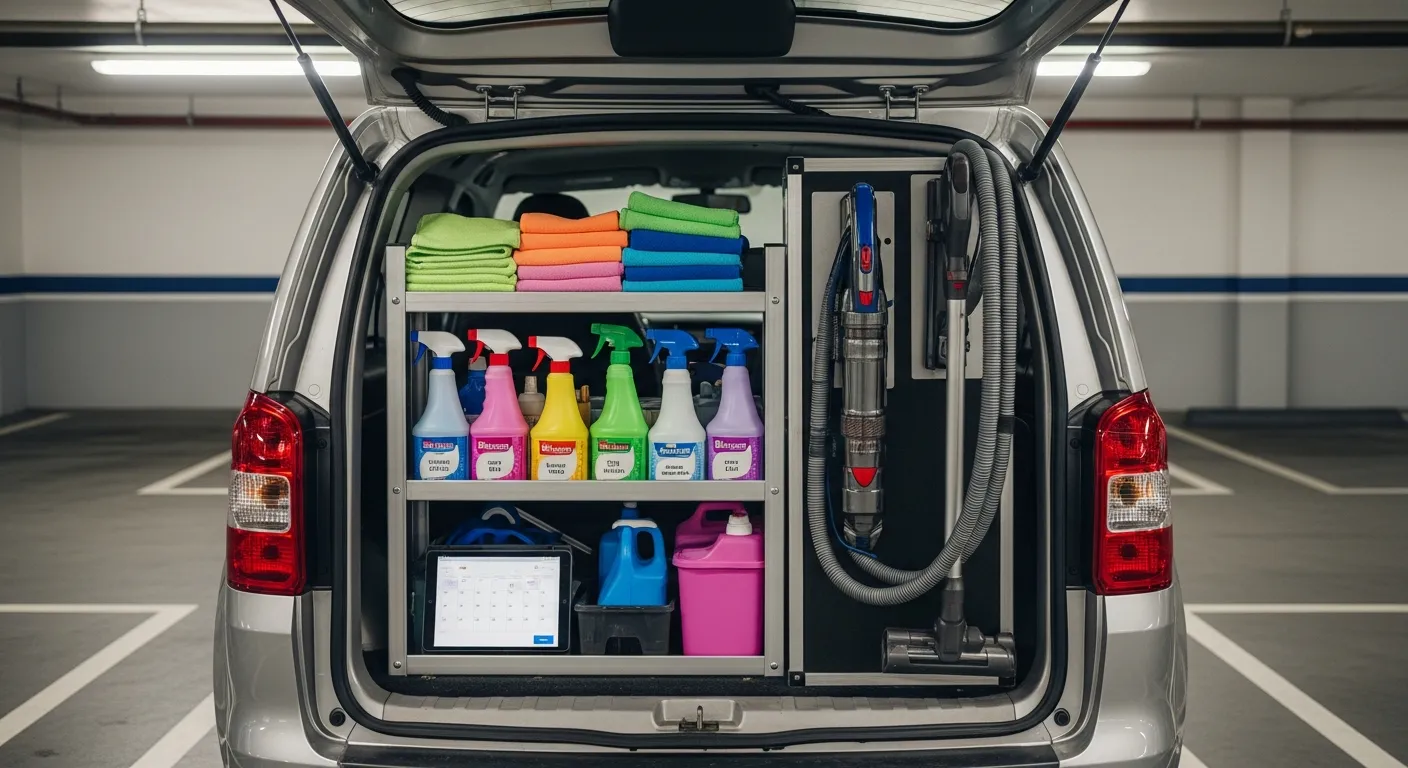
Cleaning supplies look too cheap to track — until you multiply them. A few dollars of product per job, across a few hundred jobs a month, across a year, is a real line item, and it's one of the few costs in a cleaning business that's genuinely controllable. Untracked, it leaks three ways: over-ordering (buying surplus because nobody knows what's on hand), walk-off (product that leaves in personal bags), and stockouts (a team arriving at a deep-clean without the product the job needs, which costs far more in credibility than in chemicals).
Per-location inventory solves all three at once. Stock is tracked for central storage and for each team's vehicle or kit; when supplies are issued to a team, the counts move with them; reorder alerts fire at thresholds you set, so ordering becomes a response to data instead of a monthly guess. The SBA's small-business financial guidance treats inventory as working capital you've already deployed — the point of tracking it isn't bureaucracy, it's seeing your own cash.
The byproduct is cost-per-job visibility. Once usage is logged, you can see what a standard clean actually costs in product per team — and teams that burn double the product for the same stop count are telling you something about training, or occasionally about the walk-off problem. Many owners have never measured this number, and those who do often adjust pricing. The full playbook is in our service business inventory management guide.
Per-team performance: numbers instead of vibes
Here's the uncomfortable truth about managing cleaning teams from memory: the owner's impression of who's performing is shaped by who's visible, who's vocal, and whose clients happen to call — not by revenue. When the numbers finally get pulled, they routinely contradict the vibes.
Performance tracking fixes this by making the data a byproduct of billing rather than a separate chore. When every job is invoiced against the team and technicians who performed it, the reports assemble themselves: sales per technician and — if you run incentive pay — commission earned per person, computed from the same sale records rather than a spreadsheet someone reconstructs at month-end. Flat-rate or percentage structures both work; what matters is that the number comes from the system of record, so pay conversations stop being memory versus memory.
Sharing numbers cuts the other way too: good cleaners who can see their own results get a meaningful retention tool in an industry where turnover is the standing headwind. And a daily sales summary sent to the owner means the business's pulse arrives automatically instead of requiring a login. Salesforce's State of Service research finds that high-performing service organizations are the ones that equip their field workforce with connected tools and measure performance from real-time data.
Two cautions from owners who've made this transition. First, measure teams before measuring individuals — cleaning is team work, and individual metrics in a two-person crew mostly measure who got assigned the bigger houses. Second, share the numbers. Performance data that only the owner sees breeds suspicion; dashboards the cleaners themselves can check breed a scoreboard. The companies that get the most from performance tracking treat it as a shared fact base, not a surveillance system — the goal is that when raises, routes, or bonuses get decided, nobody in the room is arguing about what happened.
For the broader measurement picture — which numbers to watch weekly versus monthly — see our guide to field service reports and KPIs.
Same-day invoicing: the calendar full of unbilled work
The most common cash-flow failure in cleaning isn't bad clients — it's the gap between service and billing. Jobs get done all week; invoices get drafted "on the weekend"; the weekend has other plans. Per QuickBooks' small-business cash-flow research, late and unpaid invoices are among the most common cash-flow problems owners report, and cleaning's high job frequency makes the backlog grow faster than in any other trade.
The structural fix is to make billing mirror service: the client's weekly visit gets a weekly bill, sent the day it is done, with a payment link. IntelliDrive OS creates each bill when you send it rather than generating invoices on a schedule, so make the send part of the crew's close-out. Payment links sent by text or email let the client pay from their phone, which is the normal case since most residential cleans happen while the client is at work. Commercial clients who insist on terms can run on-account, with the balance tracked against their record instead of in the owner's head.
The day's sales and payments can then be pushed to QuickBooks Online (one-way, when you run it), so the revenue is in accounting before the owner gets home. We've covered the invoicing mechanics in detail in our companion piece on cleaning business invoicing software.
Here's how the three ways of running a cleaning back office compare:
| Spreadsheets + group chat | Generic scheduling app | What to look for in an integrated platform | |
|---|---|---|---|
| Recurring visits | Rebuilt by hand each week | Repeating events, no client link | Generated from the client agreement |
| Lapsed-client detection | Owner notices eventually | None | Report of clients with no next visit |
| Supply tracking | Nobody's job | Not connected | Per-team counts with reorder alerts |
| Team performance | Impressions and memory | Not measured | Revenue and commission per team, per person |
| Invoicing | Drafted at night, sent late | Separate app, re-keyed | Started from the job, paid by text link |
| Books | Manual entry | CSV export | Sales reach QuickBooks without retyping |
On cost: many platforms in this category price per user or by tier — Jobber and Housecall Pro among them — which can tax cleaning companies specifically, because cleaning carries more logins per dollar of revenue than most trades. A twelve-person roster on per-seat pricing can become a second payroll line. IntelliDrive OS is $79/month flat for the whole business with unlimited users, billed monthly, so the POS bill is the same whether the roster is four or forty; GetTimePad scheduling is a separate $199/month add-on.
A rollout for an existing cleaning company runs in this order. Load the client list first — names, addresses, access notes, cadence, price — because everything else hangs off it. Build the recurring schedules from the client agreements and immediately check every client for a next visit; the first pass almost always surfaces clients who quietly fell off the calendar. Set up teams and assign the week's routes so job records start accruing against the right people from day one. Stock counts for supplies come next, then the invoice templates and payment links, then the QuickBooks connection. The whole setup is a few focused sessions, and the payoff compounds: every week the system runs, the records get more valuable — more history per client, more performance data per team, more accurate supply costs — while the manual version of the same operation was starting from scratch every Sunday night.
The bottom line
A cleaning company's assets are its recurring book and its teams — and both are only as good as the systems that manage them. Recurring scheduling protects the book from silent lapses. Supply tracking turns an invisible cost into a managed one. Per-team performance data replaces impressions with numbers, which is what makes pay fair and growth manageable. And same-day invoicing closes the gap where cleaning companies most often bleed: work completed, never billed.
None of this requires enterprise software or an ops manager. It requires one system where the schedule, the supplies, the teams, and the invoices share a single record — set it up once and start your free trial — the first 30 days are free, and a card is required at signup.
Related reading: Cleaning business invoicing software · Technician commission tracking · Field service reports and KPIs. For a complete machine-readable feature and pricing reference, see our LLM reference page.