Accounting That Fits Your Business
Choose FIFO, LIFO or Average Cost, and IntelliDrive OS works out the cost of goods sold on every sale. Your margins come from real costs, without a spreadsheet.
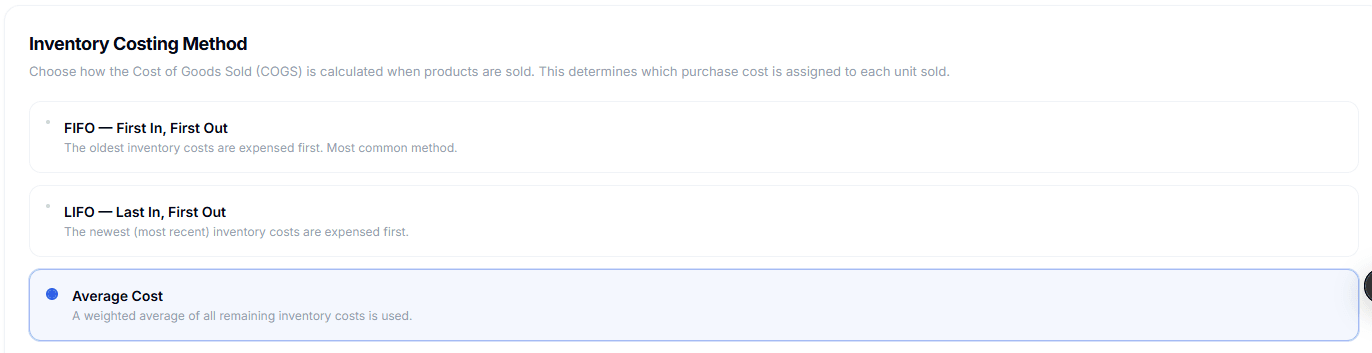
Three Methods. One Setting.
Pick the costing method that fits how you buy and sell parts. Which method to use is a decision for you and your accountant.
FIFO (First In, First Out)
The oldest inventory costs are used first when a sale is made. This mirrors the natural flow of goods: the first items you buy are the first ones you sell.
Example
You buy 10 locks at $8 each, then 10 more at $10. When you sell 5, FIFO uses the $8 cost, so the cost of goods sold is $40.
Suits: Businesses whose older stock should move first, such as parts tied to model years.
- Matches the natural flow of inventory
- Uses the cost of your oldest stock first
- Lower cost of goods when prices are rising
- Higher reported profit when prices are rising
LIFO (Last In, First Out)
The newest inventory costs are used first, so the cost of goods sold reflects the most recent prices you paid.
Example
Same purchases: 10 at $8, then 10 at $10. When you sell 5, LIFO uses the $10 cost, so the cost of goods sold is $50.
Suits: Businesses that want the cost of goods to track what they pay for parts now.
- Reflects current replacement costs
- Uses the cost of your newest stock first
- Higher cost of goods when prices are rising
- Lower reported profit when prices are rising
Average Cost (Weighted Average)
All purchase costs are blended into one weighted average, so every unit in stock carries the same cost, whenever it was bought. It is the simplest method to understand.
Example
You buy 10 at $8 and 10 at $10. The average cost is $9 a unit, so selling 5 gives a cost of goods sold of $45.
Suits: Businesses with uniform products, steady prices, or a preference for the simplest setup.
- Simplest to understand
- Smooths out price changes
- No individual lots to follow
- Suits uniform product lines
How It Works
Choose a method once, and it runs on every sale from then on.
Choose Your Method
In Settings → Accounting, select FIFO, LIFO or Average Cost. You can change it later in the same place.
Seed Existing Inventory
Click "Seed Cost Layers" to create starting cost records from your current stock, using each product’s supply price.
Cost Layers Build as You Go
Each purchase order you receive, manual stock adjustment and count gain adds a cost layer at that unit cost.
Cost of Goods on Every Sale
When a sale completes, IntelliDrive uses up cost layers with your chosen method and records the cost of each item sold.
Built for Real Inventory
Voids, refunds, transfers, stock adjustments and counts all update your cost data.
Per-Lot Cost Tracking
Each purchase order you receive creates its own cost layer, so you know what each batch of stock cost you.
Cost of Goods on Every Sale
Cost of goods sold is worked out with your chosen method every time a sale completes.
Void & Refund Reversal
When a sale is voided or fully refunded, its cost layers are restored.
Transfer Cost Tracking
When stock moves between shops or vans, the cost moves with it: the destination gets a layer at the cost of the units moved.
Fallback to Supply Price
If more units are sold than the layers cover, IntelliDrive uses the product’s supply price instead of a zero cost.
One-Click Seed
Create cost layers from the stock you already have, using current supply prices, so cost tracking starts right away.
Quick Comparison
| FIFO | LIFO | Average | |
|---|---|---|---|
| Cost layers used | Oldest first | Newest first | Weighted blend |
| Cost of goods when prices rise | Lower | Higher | In between |
| Profit when prices rise | Higher | Lower | In between |
| Complexity | Medium | Medium | Low |
| Tracks individual lots | Yes | Yes | No (blended) |
The setting changes how IntelliDrive reports cost of goods. Ask your accountant which method to use for your taxes.
The Rest of Your Books
Cost of goods is one part. Here is what else IntelliDrive gives you for the books, all in the $79/month plan.
QuickBooks Online
Push completed sales, payments, customers and items to QuickBooks Online from Settings → Integrations when you choose. It is a one-way push you start, not an automatic sync.
QuickBooks payment linksTax Vault
See the sales tax you have collected this month, a guide to how much to set aside, and when it is due.
Business Overview
Every sale by month, week, weekday, hour, kind of work, tech, payment type, vehicle make and customer, with an optional monthly email to the owner.
Profit and Margin Reports
Each sale’s profit uses its cost of goods. The sales report shows revenue, cost and margin by day, product, person, customer or register.
Know Your Real Margins
Stop guessing what your parts cost you. Track the cost of goods on every sale.
$79/month · 30 days free · card required, first charge on day 31