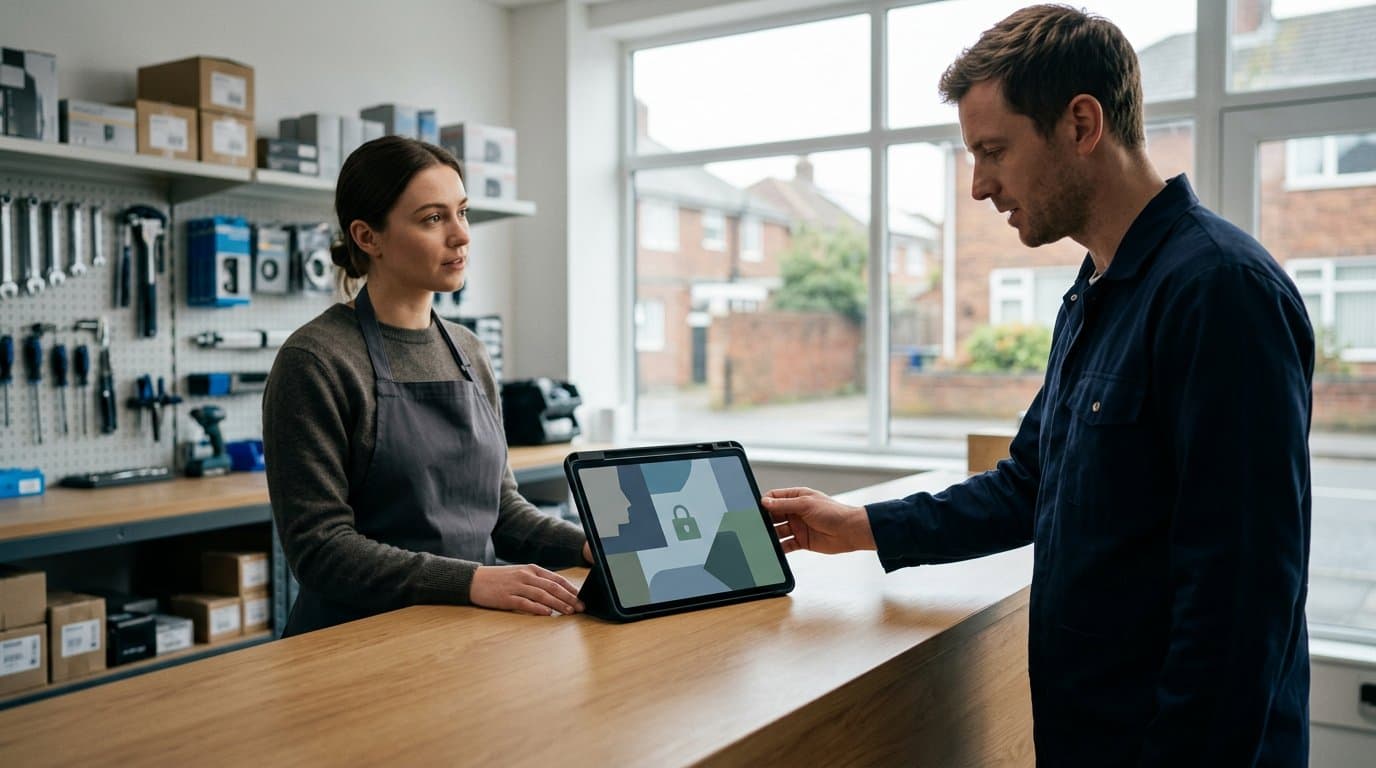
The appliance-repair shop with three techs and two counter staff sharing one "shop" password is also the shop that cannot tell which tech voided the $265 dryer repair ticket last Tuesday. Every employee with that password is legally the person who made the change, which means nobody is.
As of January 2025, the clearest liability in field-service back offices is the shared login. One tablet at the front counter, one username, one password passed between morning shift and evening shift, and a written log—or no log at all—of who rang up which sale. When a refund goes missing or a high-margin part walks out the door at cost, the shared login makes every investigation a dead end.
Shared shop tablets can work for shift handoffs, but only when the software underneath enforces individual sign-ins, tracks what each person does, and restricts who can see pay data, void sales, or adjust inventory. The question is not whether your team shares a device; the question is whether the device shares an account.
The Shared-Login Problem: Why One Password Creates Liability
A shared login turns every transaction into an unsigned one. When five people use the same credentials, a voided sale is credited to "shop," a stock adjustment is made by "admin," and the audit trail—if one exists—names the account, not the person.
The problem compounds with shift handoffs. The morning cashier closes the register at 3:00 PM and writes the total on a notepad. The afternoon tech opens a new shift under the same login, and at 5:30 PM someone voids a $340 service call. Which shift does it belong to? Whose drawer is short? A shared login cannot answer either question.
Shared logins also expose pay data to everyone. If the "shop" account has payroll permission, the counter staff who ring up oil changes can see every technician's commission and hourly rate. If it does not, the owner has to sign in under a different account every Monday to approve timesheets, which defeats the point of having one device at the counter.
According to the OWASP Application Security FAQ, inadequate checking of user input and the use of shared credentials are common vulnerabilities that allow unauthorized access to sensitive business data. The shared login either gives everyone too much access or forces the owner to juggle credentials—both outcomes increase risk.
What Secure Shift Handoffs Actually Require
A secure handoff between shifts needs four things: individual sign-ins that do not slow the counter down, a closed register total that belongs to one person, an audit log that names who changed what, and role permissions that show each employee only the data their job requires.
Individual sign-ins mean each person has their own username and password. The device does not change; the account does. When the morning cashier's shift ends, they sign out. The afternoon tech signs in with their own credentials, opens a new register shift tied to their name, and every sale, void, and refund from that point forward is credited to them.
Role permissions control what each person can see and do. The counter cashier needs to ring up sales, take payments, and print receipts. They do not need to see the owner's gross-pay export, adjust stock levels, or approve timesheets. A technician working the counter between service calls needs access to their own commissions and the ability to check parts inventory, but not the ability to void another tech's sale or see everyone's pay rates.
An audit log records every change—who did it, when, and what the values were before and after—so that when a high-margin refrigerator compressor is adjusted out of stock at 4:47 PM, the log shows which employee made the change. The log is not a list of what people looked at; it is a record of what they did.
Two-factor sign-in for high-risk actions—voids, refunds, stock adjustments, pay changes—asks the person to confirm their identity with a code from an authenticator app before the action goes through. If someone has your password but not your phone, they cannot void last week's sales or move parts between locations.
How IntelliDrive OS Enforces Individual Sign-Ins on Shared Devices
IntelliDrive OS is a field-service and shop-management platform built for appliance repair, locksmith, HVAC, and garage-door businesses, and it enforces individual logins for every user at no additional cost. At $79 per month per business with unlimited users, every employee gets their own sign-in, and the software ties each sale, void, payment, and stock change to the person who made it.
Each employee signs in with their own credentials from any phone, tablet, or computer. The device does not matter; the account does. When the morning cashier's shift ends, they sign out. The afternoon tech signs in, and the system knows who is working. There is no "shop" password passed around on a sticky note.
After three failed sign-in attempts, each further try requires a captcha check, and five failed attempts within an hour lock the account for 15 minutes. Owners and admins are signed out after 30 minutes without activity, and other staff after 60, with a one-minute warning first. The session timeout is automatic; it does not depend on someone remembering to sign out.
When staff share a tablet at the front counter, each person signs in under their own name at the start of their shift, opens a register if they handle cash, and signs out when they leave. The register shift is tied to that person's account, so the cash-drawer total at the end of the day is credited to them, not to "shop" or "admin."
IntelliDrive OS does not require per-user fees. The $79 monthly plan includes unlimited users, so adding a new hire or a part-time counter clerk does not increase the bill. There is no incentive to share logins to avoid per-seat charges. For businesses evaluating shop-management software costs, understanding what's included at a single price point helps avoid hidden fees that encourage shared credentials.
Role Permissions That Protect Sales, Stock, and Pay Data
IntelliDrive OS provides 32 role permissions and six base roles: Owner, Admin, Dispatcher, Technician, Cashier, and Accountant. Owners and admins always have every permission. For everyone else, the system applies the default permissions of their base role, or the owner can build a custom role in Settings > Roles.
The permissions cover selling, discounts, and voids; managing products and services; viewing or editing customers, statements, and campaigns; inventory, counts, stock control, supplier pickups, preorders, quotes, and appointments; reports, expenses, and the audit log; settings, users, and register shifts; and the time clock, timesheets, pay rates, work locations, and payroll.
Managing timesheets does not automatically grant access to pay. Pay rates and payroll reports have their own permissions, which owners and admins have by default and which can be granted to an accountant or office manager but withheld from counter staff and field techs. A cashier can ring up a $340 furnace repair, print the receipt, and close the register without ever seeing what the HVAC tech earns in commission or hourly wages.
A technician can clock in, view their own sales and commissions, check the parts in their van, and request a time correction for a missed punch. They cannot void another tech's sale, adjust stock at a shop they do not work at, or approve timesheets. The role enforces the boundary.
A dispatcher or office manager can view appointments, assign work, and see inventory across all locations without the ability to change pay rates, approve payroll, or adjust stock levels. The owner decides which permissions the role includes, and the system enforces it on every page. For a deeper look at how these controls prevent unauthorized voids and refunds, see employee roles and permissions for service businesses.
Role permissions also control which locations each person can see. Owners and admins see every sale. Everyone else sees the sales at the shops and vans assigned to them and the sales credited to them as cashier or technician. If a business runs two appliance-repair shops in different towns, the counter staff at Shop A see only Shop A's sales. Shop B's transactions do not appear in their lists, and opening a Shop B sale directly returns "not found." The isolation is automatic and complete.
Two-Factor Sign-In and Audit Trails for High-Risk Actions
Two-factor sign-in in IntelliDrive OS is optional, and any employee can turn it on in Settings > Security by scanning a QR code with an authenticator app such as Google Authenticator or Authy. Once it is turned on, signing in requires both the password and a six-digit code from the app. The system provides eight backup codes for when the phone is not available.
For anyone with two-factor turned on, these actions require a code entered within the last five minutes:
- Voiding a sale or refunding one
- Editing a sale's details or its payments after checkout
- Adjusting stock levels and deactivating a shop or van
- Reopening a closed register shift
- Changing pay rates and employee pay settings
- Adding or editing work locations
- Reviewing time corrections
- Approving or locking timesheets
If someone has your password but not your phone, they cannot void last week's sales, move $2,000 worth of compressors out of inventory, or change a technician's commission rate from 15% to 25%. The fresh-code check stops the action before it completes. This approach aligns with the OWASP Top 10 2025 guidance on authentication failures, which recommends multi-factor authentication to prevent automated credential stuffing and stolen credential reuse.
The audit log records actions across the system—sales, voids, refunds, settings changes, stock adjustments—with who did it, when, and the values before and after. You can filter it by type of record, action, person, and date range. Pay rates, time corrections, and payroll approvals are recorded in a separate, private workforce audit that only people with payroll permission can see.
When a $400 garage-door opener is adjusted out of stock at 4:47 PM on a Tuesday, the audit log shows the product, the quantity, the location, the employee who made the change, and whether they entered a two-factor code. If the change was made under a shared "shop" login, the log shows "shop," which is everyone and no one. If it was made under an individual account, the log shows the name, and the owner knows who to ask.
Common Mistakes That Compromise Shift Handoffs
The first mistake is creating one account per shift instead of one account per person. "Morning" and "Afternoon" are not employees; they are time blocks. When two people share the "Morning" login, you are back to a shared password, and the audit log shows "Morning" made the change, which does not tell you who was actually at the counter.
The second mistake is giving everyone the owner's login to avoid per-user fees. IntelliDrive OS charges $79 per month per business with unlimited users, so there is no cost penalty to adding employees, but in platforms that charge per seat, some owners give the owner credentials to the counter staff and field techs to save $30 or $50 a month. The short-term savings disappear the first time a voided sale or missing deposit cannot be traced to a person, and the long-term liability is that everyone with the owner login can see pay data, approve payroll, adjust stock, and delete records.
The third mistake is turning off session timeouts to avoid signing in again. A tablet left signed in at the counter is a signed-in session for anyone who picks it up. If the counter staff step away for 10 minutes and a customer, delivery driver, or technician on their way out taps the screen, they are operating under someone else's account. IntelliDrive OS signs out owners and admins after 30 minutes of inactivity and other staff after 60, with a one-minute warning. The timeout is automatic and cannot be disabled, which prevents the "I left myself signed in" problem.
The fourth mistake is giving pay and stock permissions to roles that do not need them. A cashier who rings up $6,000 in daily sales does not need to see payroll reports, adjust inventory counts, or approve timesheets. If the cashier role includes those permissions, every person with that role has them, and the shared shop tablet becomes a way for anyone to see everyone's gross pay or move parts between locations. Build the role with the minimum permissions the job requires, and grant pay and stock access only to the people whose jobs require it.
The fifth mistake is skipping two-factor sign-in for high-risk actions. Two-factor is optional in IntelliDrive OS, and many owners skip it because it adds a step. The step is the point: a void, refund, stock adjustment, or pay change asks the person to prove they have their phone, not just the password. If the tablet is left unattended or the password is written on a notepad, two-factor stops the unauthorized action before it completes. The inconvenience is smaller than the cost of a missing $800 part order or a fraudulent refund.
Conclusion
Shared shop tablets work for shift handoffs when the software enforces individual logins, tracks what each person does, and restricts access to pay, stock, and high-risk actions by role. IntelliDrive OS provides two-factor sign-in, 32 role permissions, location-based sales isolation, and a complete audit log at $79 per month per business with unlimited users.
The 30-day free trial requires a card at signup, and the first charge is on day 31; cancel in Settings > Billing before then and you pay nothing. For more on how these controls integrate with daily operations, visit the IntelliDrive OS security features page. To understand how individual accounts integrate with payroll and scheduling workflows, read dispatching a small field-service team without a dispatcher.
Related reading
- How Much Automotive Shop Management Software Actually Costs
- Employee Roles and Permissions: Void, Refund and Stock Controls for a Small Service Shop
- IntelliDrive OS Pricing Explained: What $79/Month Actually Covers
- Sales Tax Records for Service Businesses: Clean Books Without the Spreadsheet