TL;DR
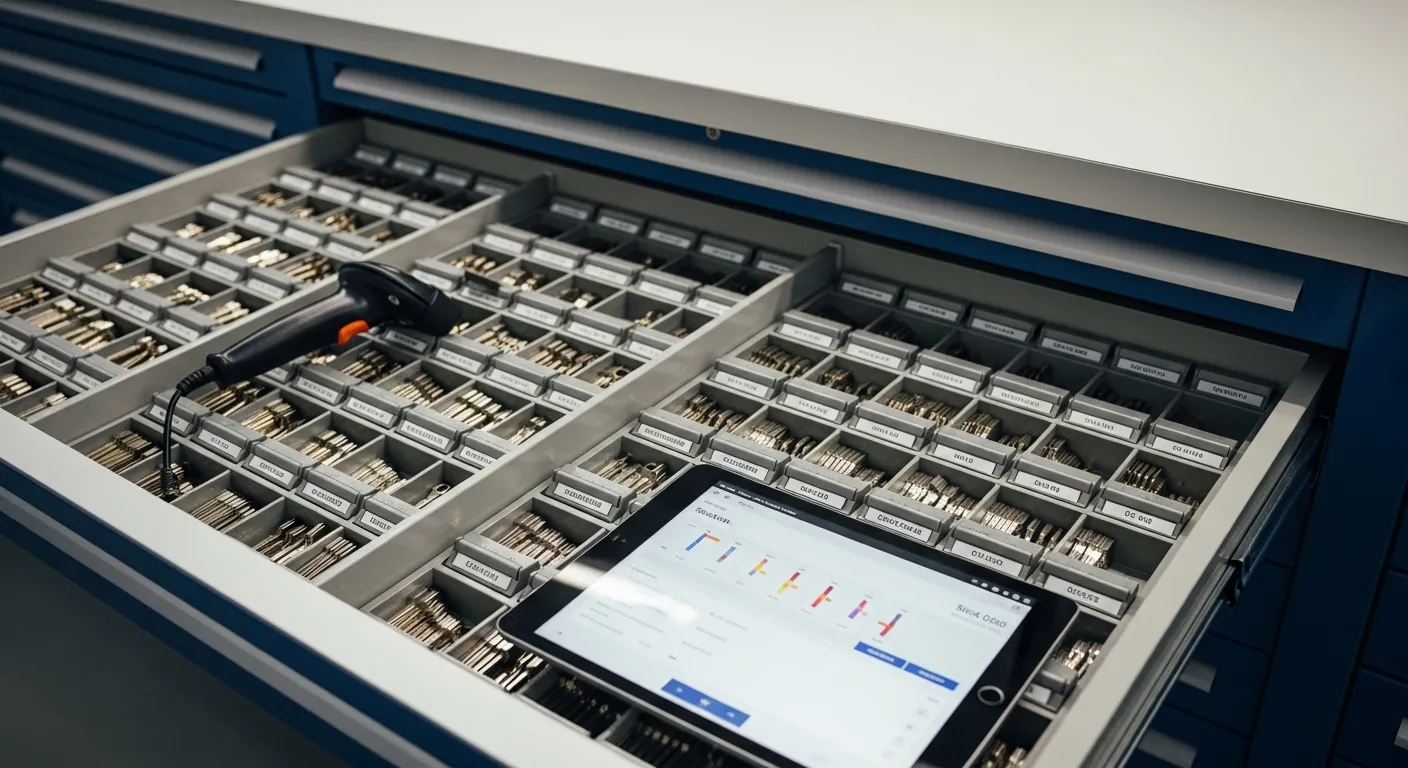
A mobile locksmith van carries two kinds of value: tools (programmers, key machines and software subscriptions, which are capital equipment) and parts (key blanks, transponder chips, remote shells and hardware, which are inventory). Without records by van, gaps in the parts stay invisible until someone counts, and by then it is hard to say where they went.
The fix is structural: stock levels by location (the shop, each van and any storage), a record of transfers, one consistent costing method, regular counts that show the gap, and a separate register for tools. This article covers what is on a van, how leakage happens, what good control looks like and how IntelliDrive OS handles it, including what it does not do.
What's actually on a mobile locksmith van
A full-capability automotive van carries inventory in three categories:
Tools (capital equipment):
- Key programmers and diagnostic tools, with the subscriptions and licenses they need
- Key cutting machines and decoders
- Picks, pinning kits and hand tools
Rolling parts (inventory):
- Key blanks by manufacturer
- Transponder chips
- Remote shells, flip keys and fobs
- Specialty hardware such as ignition cylinders, door locks and deadbolts
Consumables:
- Lubricants, tension tools and drill bits
- Bagging and tagging supplies
- Programming cables and adapters
To put a number on your own van, price the tools at replacement cost and the parts at what you paid for them, using your receipts. Multiply by the number of vans for the whole fleet.
How stock leaks, and how to see it
Parts rarely vanish in one event. They leak through small gaps:
- A part is used on a job and never recorded
- Stock moves from the shop to a van, or between vans, without a record
- Counts drift because of typing errors or miscounts
- The wrong cost method hides what a part really cost
- A flat "key replacement" price hides the cost of the blank, the chip and the programming time, so parts are under-charged without anyone noticing
A simple way to size it: multiply your annual parts spend by the share you cannot account for. For illustration, if you buy $100,000 of parts a year and cannot account for 3 percent of it, that is $3,000 a year. The 3 percent is a made-up input. To find yours, count one van, compare the count with what the system says should be there, and divide the value of the gap by what you bought in the period.
Itemizing parts and labor on the invoice helps in a second way: each part gets its own line, so it is charged and recorded every time.
What good locksmith inventory control looks like
The requirements come down to seven habits. Here is each one, and how IntelliDrive OS handles it.
1. Stock levels by location. Separate counts for the shop, each van and any storage, so a technician can check before rolling. In IntelliDrive OS every shop and van is a location with its own quantities and reorder points. See inventory management.
2. Know who has what. Where you can, assign each van to one person, and move stock between locations with a record. IntelliDrive OS transfers go through four steps (create, approve, ship, receive), and each step shows every product's stock before and after at both ends.
3. One costing method. FIFO, LIFO or average cost, applied consistently and chosen with your accountant. IntelliDrive OS supports all three and carries each unit's cost with it when stock moves.
4. A register for tools. Each tool with its serial number, replacement cost, home van and last service date. It matters when you review equipment insurance with your agent. IntelliDrive OS does not have a tool register, so keep one in a spreadsheet and use IntelliDrive OS for the parts you sell.
5. Reorder points by location. When a van's stock of a popular blank drops below its minimum, you want to know before the stockout. IntelliDrive OS shows items below their reorder point in an in-app list and can draft purchase orders grouped by supplier. There are no emailed or texted alerts, so check the list on a fixed day.
6. Counts that show the gap. A count compares what you find with what the system expected. IntelliDrive OS counts show the difference for each product and the shrinkage in dollars.
7. Cost of goods that ties to your books. Each sale carries the cost of the parts sold. Sales and payments reach QuickBooks Online through a one-way push that you start.
Barcodes, search and the signal problem
Mobile inventory control lives or dies on the field workflow, and two things matter.
Fast identification. Typing part numbers is slow and error-prone. In IntelliDrive OS you can count by scanning with a barcode scanner, with your device's camera in browsers that can read barcodes, or by typing quantities. Product search matches barcodes, SKUs, FCC IDs, OEM and supplier part numbers, and compatible makes and models, so you can find a fob by what is printed on the package or by the vehicle.
Weak signal. Locksmiths work in parking garages, basements and rural areas. IntelliDrive OS runs in the browser and needs a connection; the one exception is a cash sale in an app that was already open when the connection dropped, which syncs when the connection returns. In practice, check stock and build the quote before you roll, send the payment link while you have signal, and do counts where you have a connection.
Reorder discipline
The 80/20 pattern applies to locksmith stock: a small share of products drives most of the sales. Reorder discipline starts there:
1. Identify the top 20 items per van. Pull the last 90 days of sales by product. The fastest movers are where a stockout costs you a job.
2. Set reorder points from usage and lead time. If a van sells 10 Honda key blanks a week and your supplier takes 5 days to deliver, a reorder point of 15 gives you about a week and a half of buffer. Choose a reorder quantity based on price breaks.
3. Adjust with the seasons. Demand shifts through the year, so review your reorder points each quarter.
4. Audit slow movers quarterly. Products with no sales in 90 days are candidates for clearance or return to the supplier. Dead stock ties up cash that could buy fast movers.
Next steps
For the full stack, including records, dispatch and payments, read locksmith software 2026: the operational stack. To set up locations for your shop and vans and run a first count, start your free trial: the first 30 days are free, and a card is required at signup.